



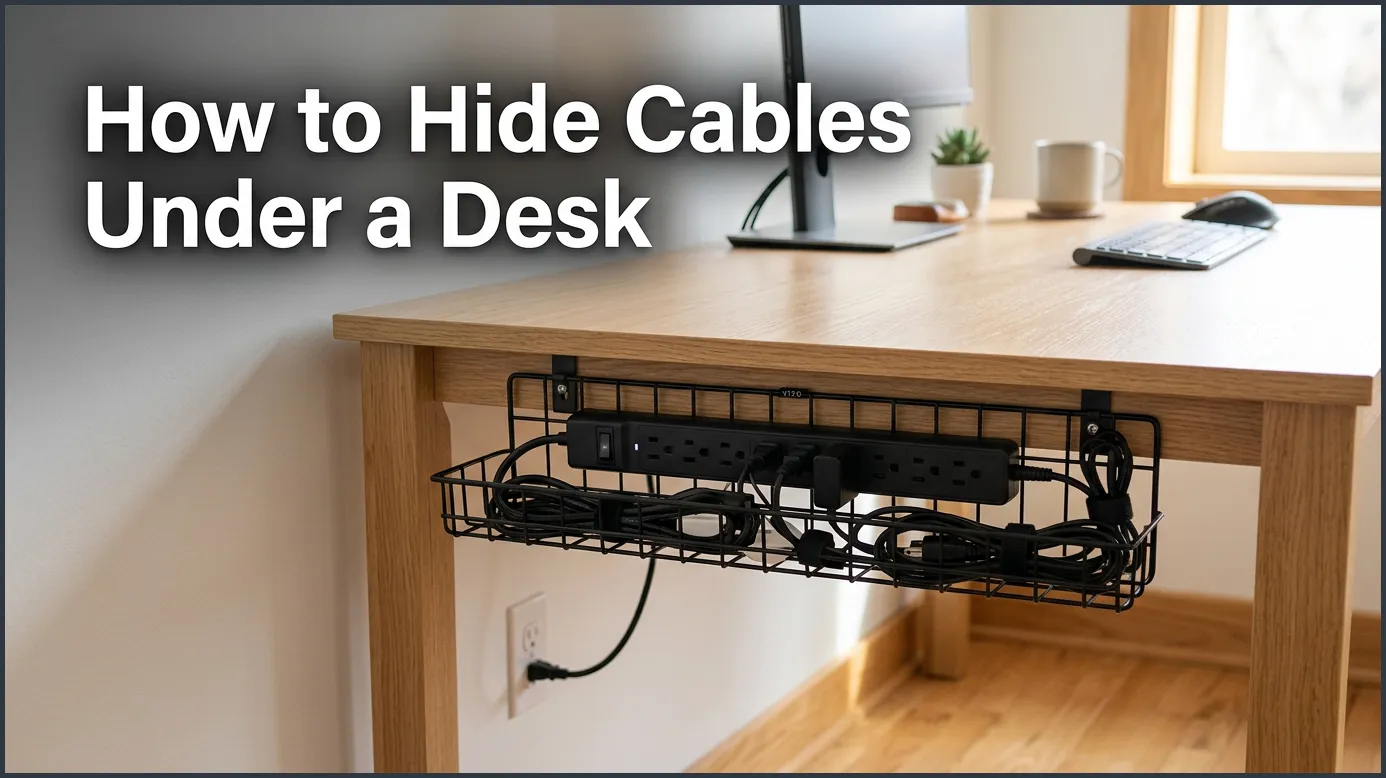
Tame your messy workspace by securing your power strip under the desk with heavy-duty mounting tape. Group loose wires together with hook-and-loop straps, then run them neatly along the desk frame using adhesive clips. This simple, drill-free method hides messy cords instantly and gives you a clean, stress-free office.
Imagine sitting down at your desk to start a productive day. The desktop looks amazing. Your computer is sleek, your keyboard is ready, and your favorite mug sits in the corner. But then you look down. Beneath your desk is a giant, scary ball of tangled black and white wires. It looks like a wild metal bush. It collects dust, gets in the way of your feet, and makes your beautiful room look messy.
You are not alone in this struggle. Almost everyone who works on a computer has to deal with a mess of cords. It is easy to let them pile up over time. But a cluttered workspace can actually make your mind feel cluttered too. It can also be dangerous if you trip on a wire, or if a playful pet decides to chew on a live plug. Fortunately, learning how to hide cables under a desk is a simple task that anyone can do in an afternoon.
In this friendly guide, we will show you how to clean up that wire monster once and for all. We will walk you through a step-by-step plan that requires very little effort. You do not even need to be a DIY expert to get professional results. We will cover the best tools to use, how to manage wires without drilling into your wood, and how to keep things clean for the long run. Let us get started!
Key Takeaways
- Mount the power strip: Get your power strip off the floor to keep dust away and clear up foot space.
- Use hook-and-loop ties: Choose reusable wraps instead of plastic zip ties for easy cable adjustments.
- Install a cable tray: Use a simple tray or basket under your desk to hold heavy power bricks and extra wire.
- Route wires down the legs: Keep vertical cords hidden by wrapping them along the back of your desk legs.
- Leave slack for standing desks: Ensure your wires have enough room to stretch when you raise your desk.
- Label your plugs: Mark both ends of your cords so you always know which device is which.
📑 Table of Contents
Step 1: Prep and Plan Your Workspace
Before you buy any cool gadgets or tape, you must prepare. Do not try to clean up your wires while they are still plugged in and running. You will get frustrated, and you might pull a wire out by mistake. Starting with a blank canvas is the best way to get a neat result.
Unplug and Untangle Everything
First, turn off your computer, monitors, and other gear. Unplug every single power cord, HDMI line, and USB wire. Pull them all out from behind your desk. Lay them flat on the floor and untangle them completely. While they are unplugged, take a soft cloth and wipe off the dust. Dust loves to cling to warm cords, and cleaning them now makes them much nicer to handle. It also helps adhesive tape stick better to your desk later.
Group and Simplify Your Gear
Next, look at the items you actually use every day. Do you have an old charger plugged in for a phone you do not own anymore? Is there a printer cable for a printer that is now wireless? Toss those extra wires aside. Only keep the cords you absolutely need. Group your remaining wires by where they go. For example, keep your screen cables in one pile and your keyboard and mouse cables in another. If you want to make your desktop look as clean as the space beneath it, you can read about how to hide cords on a desk to tidy up your top-level workspace. This initial step makes the rest of the job easy.
Step 2: Mount the Power Strip Under the Desk
The single biggest rule of cable management is to get your power strip off the floor. If your power strip sits on the carpet, you will constantly kick it. It will also gather a lot of dust. Lifting it up changes everything.
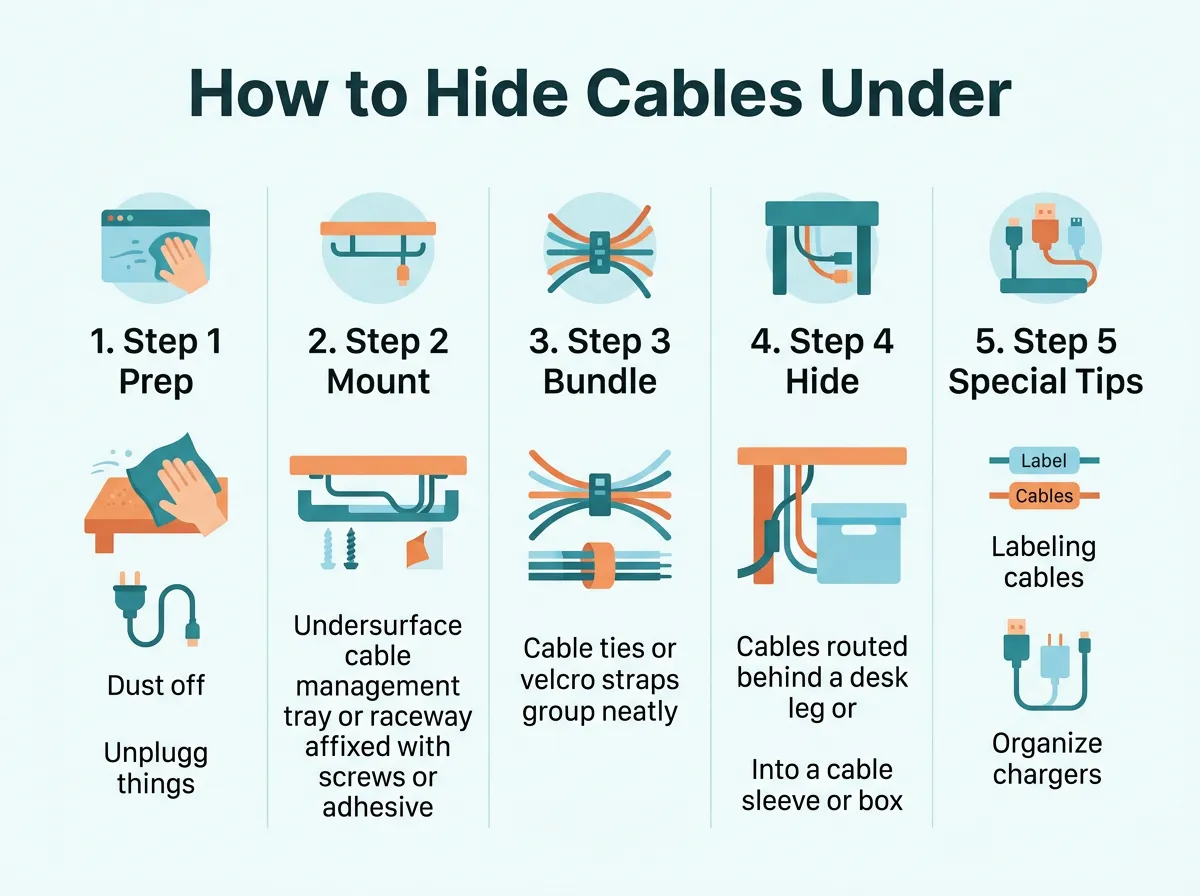
How to Hide Cables Under a Desk — key points at a glance
Use Heavy-Duty Double-Sided Tape
Many people worry about damaging their expensive furniture. If you want to know how to hide cables under my desk without drilling, double-sided foam tape is your best friend. Buy a roll of heavy-duty mounting tape. Stick a couple of strips to the back of your power strip. Then, press the strip firmly against the underside of your desk for thirty seconds. This holds the strip securely in place. It keeps your plugs close to your desk and far away from your feet.
Install an Under-Desk Cable Tray
If you have a lot of large power bricks, a simple tape job might not be enough. In this case, an under-desk cable tray is a lifesaver. These are metal or plastic baskets that hang under the back edge of your desk. Some models clamp on, so you still do not have to drill any holes. You can place your power strip right inside the tray. It acts like a little hammock that holds all your bulky adapters and extra cord length completely out of sight.
Step 3: Bundle and Route Your Wires
Once your power strip is secure under your desk, you will still have loose cords hanging down like vines. You need to gather them together and guide them along the frame of your desk.
Wrap Wires with Hook-and-Loop Ties
Do not use cheap plastic zip ties. Zip ties are sharp, and you have to cut them off with scissors every time you want to move a wire. This can easily damage your expensive cables. Instead, use soft, reusable hook-and-loop straps. You can learn more about how to tidy the computer cables under your desk with these gentle wraps. They hold your cords tightly together but let you pull a wire out in seconds if you need to take a device with you.
Use Adhesive Cable Clips
Now that your wires are bundled into neat ropes, you need to keep them flush against your desk. Small, plastic adhesive cable clips are perfect for this. Stick them along the back lip of your desk or along the frame. Simply click your bundled wires into these clips. This keeps the cords from drooping down, making them invisible from normal viewing angles.
Step 4: Hide the Vertical Runs Down the Desk Legs
Even with everything tucked under your desk, you still need to run at least one main power cable down to the wall outlet. A single hanging wire can ruin the clean look of your room if you do not hide it well.
Wrap Them in a Cable Sleeve
A cable sleeve is a flexible tube made of fabric or plastic. It usually has a zipper or a split down the side. You put your main power cord and any other floor-bound wires inside this sleeve. It turns three or four messy dangling wires into one sleek, solid tube that looks very neat.
Route Wires Behind the Desk Leg
If your desk has metal legs, you can hide your wires right behind them. Use magnetic clips to snap your cable sleeve to the back of the metal leg. If your desk has wooden legs, you can use clear, non-damaging adhesive clips on the back side of the wood. This keeps the wires hidden directly behind the leg, so they are completely out of view when you look at your desk from the front.
Step 5: Special Tips for Standing Desks
Adjustable standing desks are fantastic for your health. However, they can make cable management a bit tricky. If you do not plan ahead, you might unplug or damage your computer when you raise your desk to stand.
Leave a “Slack Loop”
When you organize your wires, always raise your standing desk to its absolute highest point first. Secure your cables with this height in mind. You need to leave a loop of extra slack wire going from the desk to the wall. This ensures that when the desk goes up, the cables do not pull tight or rip out of the wall. When you lower the desk, the slack will fold neatly behind your desk.
Use a Cable Spine
A cable spine is a flexible plastic chain that guides your wires from the floor to your moving desktop. It bends and stretches smoothly as your desk moves up and down. It keeps your vertical cables protected and prevents them from getting caught in the moving legs or motor of your desk.
Step 6: Maintain Your Clean Desk Setup
Once your desk looks beautiful, you want to keep it that way. Cable management is not a one-time event. It is a habit. Fortunately, keeping it clean is very easy with two simple rules.
Label Your Plugs
There is nothing worse than crawling under your desk to unplug a lamp, only to accidentally unplug your computer and lose your work. Use a simple label maker or write on a piece of masking tape. Wrap a label around each cord near the plug. Write “Monitor,” “Computer,” or “Charger” on it. This simple step saves you tons of time and stress down the road.
The One-In, One-Out Rule
Whenever you buy a new electronic device, make a promise to remove the old one first. Do not let old, unused cords sit in your under-desk tray. If you add a new wire, take two minutes to route it through your existing clips and sleeves. This keeps your workspace looking fresh and organized for years to come.
Conclusion
A clean, organized workspace can completely change how you feel about your daily work. It removes visual noise, reduces stress, and makes your office look highly professional. Learning how to hide cables under a desk does not require a lot of money or special skills. All it takes is a bit of planning, a few simple tools like hook-and-loop ties, and a little time. Try these steps today, and enjoy the peace of mind that comes with a beautiful, wire-free view!
Frequently Asked Questions
How do I hide cables under a desk without drilling holes?
You can use heavy-duty double-sided mounting tape to attach your power strip to the underside of your desk. Adhesive cable clips and clamp-on cable trays are also excellent options that keep your wires secure without damaging your furniture. These tools hold everything firmly in place and leave zero marks behind.
What is the best way to bundle loose desk cables?
The best way to bundle loose cables is by using reusable hook-and-loop straps. Unlike plastic zip ties, hook-and-loop straps are soft, gentle on wires, and can be opened and closed easily when you need to change your setup. They keep your wires neat and flexible without pinching them.
Can I use zip ties for cable management under my desk?
While you can use plastic zip ties, they are not highly recommended for home office desks. Once you cut them tight, they can pinch delicate wires, and you have to destroy them with scissors to make any changes. Reusable wraps or silicone ties are a much safer and more convenient choice.
How do I manage cables on an adjustable standing desk?
To manage cables on a standing desk, always set the desk to its highest position before routing your wires. Leave a loose loop of slack in the main power cable so it can stretch safely when the desk rises. Using a flexible cable spine or sleeve will also prevent wires from getting pinched in the desk frame.
Where should I put a heavy power brick under my desk?
The best place to put a heavy power brick is inside an under-desk cable tray or basket. If you do not have a tray, you can mount the brick directly to the underside of your desk using strong mounting tape or hook-and-loop fasteners. This keeps the heavy weight off your cords and off the floor.
How do I keep my cables from gathering dust under my desk?
Keeping your cables off the floor is the best way to stop dust from building up. Mount your power strip and bundle your cords tightly along the desk frame so they do not touch the carpet. This makes it easy to run a vacuum or duster underneath your desk without getting tangled.
