



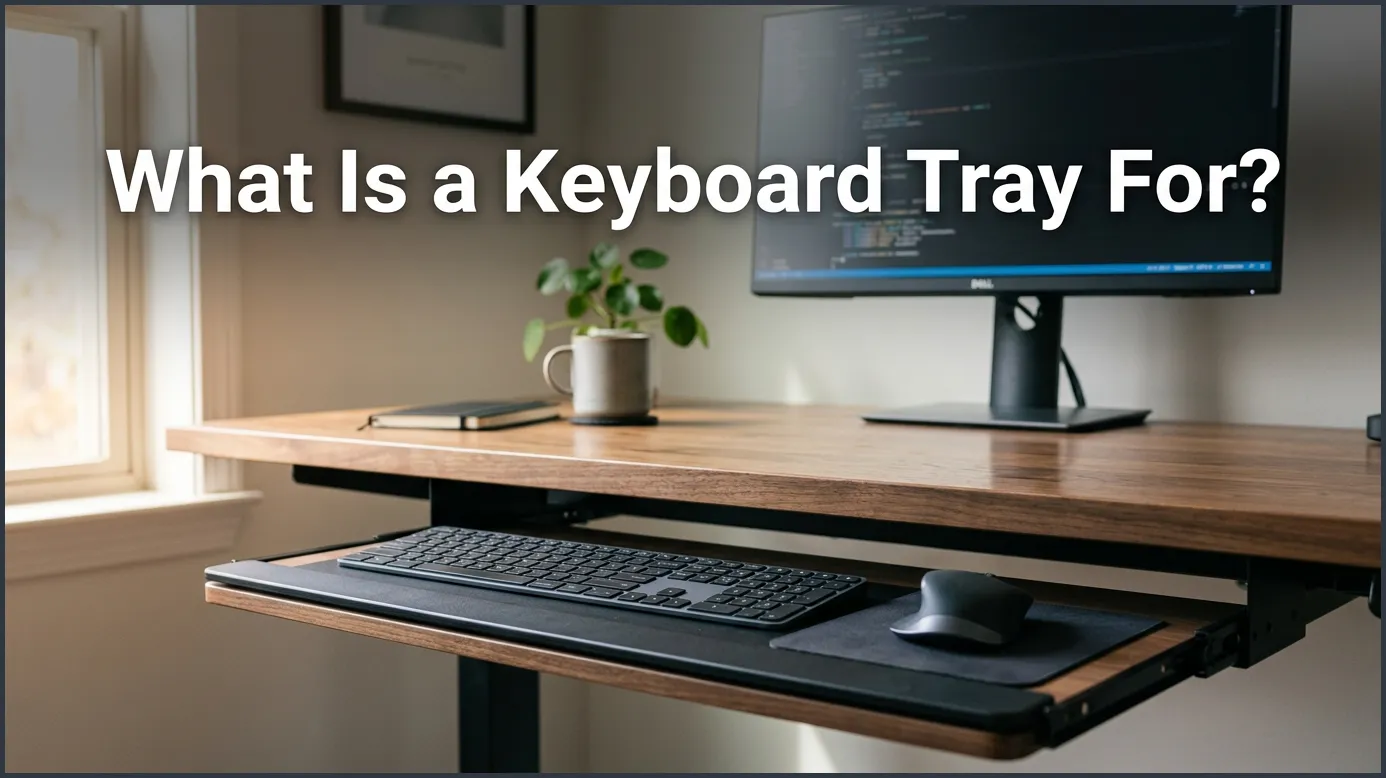
A keyboard tray is an under-desk platform designed to hold your keyboard and mouse at an ergonomically optimal height and angle. By lowering your input devices, it helps prevent wrist fatigue, neck pain, and shoulder strain while freeing up valuable desk space. This simple office accessory is crucial for creating a comfortable, pain-free workstation.
Imagine sitting at your desk after a long day of work. Your neck feels stiff. Your shoulders are tight, and your wrists have a dull, annoying ache. You might blame your desk chair. You might think you just need a better monitor. But the real problem could be sitting right in front of you. It is your keyboard, and it is sitting too high.
Most standard desks are built to a height of thirty inches. While this height is great for writing with a pen, it is actually too high for typing on a computer. This is where a simple under-desk tool comes into play. If you have ever wondered, what is a keyboard tray for, you are not alone. Many people view them as old office relics from the nineties, but they are actually modern ergonomic lifesavers.
In this article, we will dive deep into the world of under-desk trays. We will look at how they protect your body from daily wear and tear. We will also explore the different types you can buy, how they save space, and how to set one up. By the end, you will know exactly how this small addition can make a massive difference in your daily comfort.
Key Takeaways
- Ergonomic Comfort: A keyboard tray positions your arms and wrists at a natural ninety-degree angle to prevent repetitive strain injuries.
- Desk Space Optimization: Moving your keyboard and mouse beneath the desk frees up prime surface real estate for other work materials.
- Adjustability Features: High-quality trays offer height and tilt adjustments to match your specific sitting or standing posture.
- Posture Improvement: By keeping your input tools close, these trays prevent you from leaning forward and hunching over your desk.
- Easy Installation: Options range from simple clamp-on models to track-mounted sliding trays, making them easy to add to almost any desk.
📑 Table of Contents
Understanding the Core Purpose of a Keyboard Tray
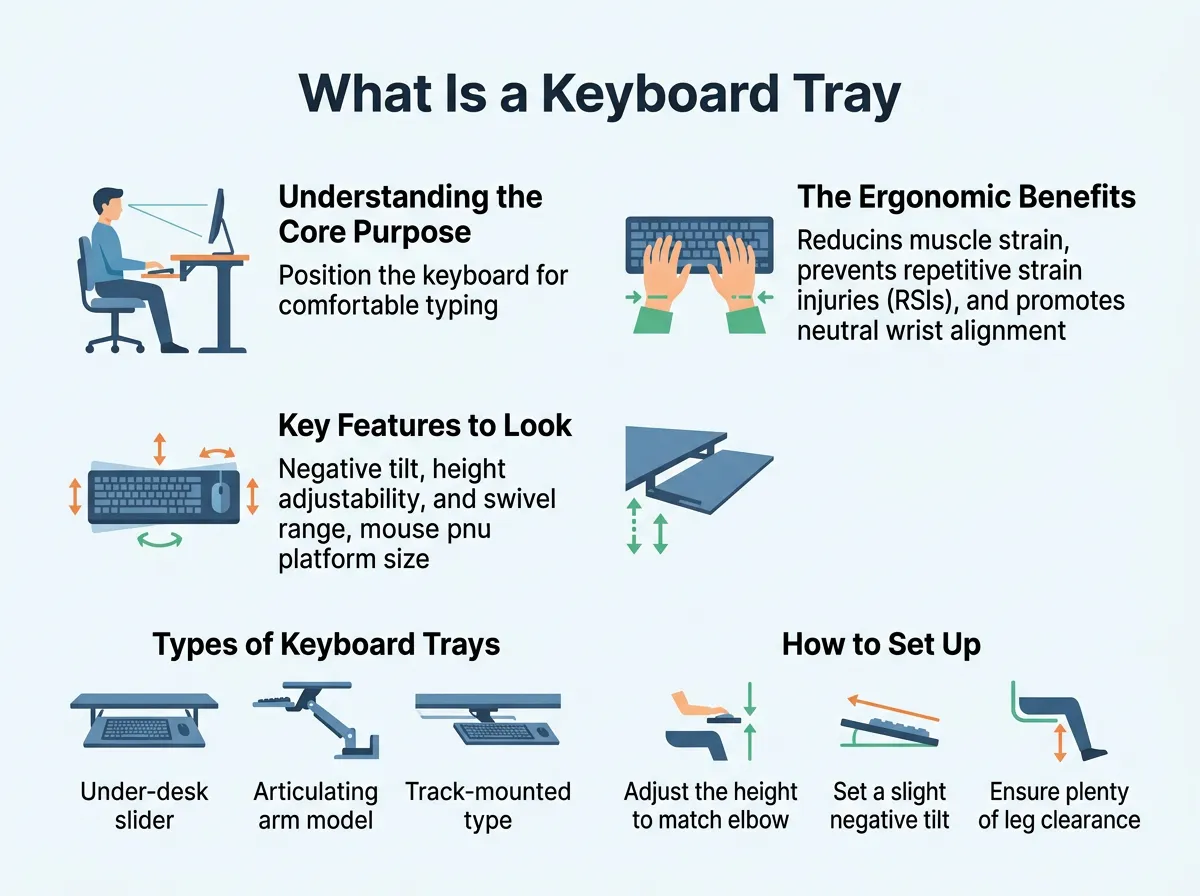
At its heart, a keyboard tray is a flat platform that mounts beneath your main desk surface. It holds your keyboard and often your mouse. But its purpose goes far beyond just holding your gear. It is designed to bridge the gap between human biology and office furniture.
Relieving Physical Strain
When your keyboard sits on top of a standard desk, you have to lift your hands up to type. This forces your shoulders to shrug and your wrists to bend upward. Over time, this poor position causes fatigue. A keyboard tray brings the keys down to your lap level. This allows your arms to hang naturally by your sides. Your elbows can rest at a comfortable ninety-degree angle, which takes the stress off your upper body.
Reclaiming Your Desk Space
Desks get cluttered very quickly. Between monitors, notebooks, coffee mugs, and documents, space is at a premium. By moving your keyboard and mouse to a tray underneath, you instantly free up a large amount of surface area. This clean space lets you write, read, or keep your morning coffee within safe reach without knocking things over.
The Ergonomic Benefits of Going Under-Desk
Ergonomics is the study of how to design workspaces to fit the human body. When you look at understanding keyboard tray ergonomics, you quickly see how these devices prevent common office injuries. They are not just about comfort; they are about long-term health.
What Is a Keyboard Tray For? — key points at a glance
Preventing Repetitive Strain Injuries (RSIs)
Typing in a bad position for hours a day can lead to serious health issues. Carpal tunnel syndrome and tendinitis are very common among office workers. These injuries happen when nerves and tendons in your wrists get pinched or inflamed. A good tray keeps your wrists in a neutral, straight position. This simple change reduces pressure on the median nerve and helps keep pain at bay.
Keeping a Healthy Posture
Have you ever noticed yourself leaning forward to reach your keyboard? This is called “computer hunch.” It puts a lot of weight on your neck and spine. When you bring the keyboard closer to your body using a tray, you can sit all the way back in your chair. Your back gets the full support of your chair’s backrest. This keeps your spine aligned and helps you maintain great posture throughout the day.
Key Features to Look For in a Keyboard Tray
Not all trays are made equal. Some are basic wooden boards, while others look like high-tech tools. To get the most out of your setup, you should look for a few key features that offer the best support.
Height Adjustability
Every human body is different. A tall person needs a different setup than a shorter person. Look for a tray that lets you adjust the height up and down. This ensures you can position the keys exactly where your hands naturally fall. It is even better if the tray has a quick-release lever so you can make quick changes.
Tilt and Swivel Mechanics
Many people think a keyboard should be perfectly flat. However, a slight downward tilt, known as negative tilt, is actually much better for your wrists. This tilt keeps your hands angled slightly downward, which matches the natural shape of your relaxed arms. A tray that swivels left and right also lets you push it out of the way when you need to get up.
Platform Size and Mouse Space
Some cheap trays are only wide enough for a keyboard. This forces you to leave your mouse up on the desk, which defeats the purpose of the tray. Your mouse should always be on the exact same level as your keyboard. Make sure the platform is wide enough to hold both devices comfortably side by side.
Types of Keyboard Trays Available
If you want to add one to your desk, you have a few great choices. The best one for you depends on your desk style and how handy you are with tools.
Clamp-On Keyboard Trays
If you rent your home or do not want to drill holes in your desk, this is the perfect option. These trays use simple twist clamps to lock onto the edge of your desk. They are very easy to install and take only a few minutes to set up. You can find high-quality clamp-on and pull-out keyboard tray mounts that fit almost any desk thickness. They are stable, easy to move, and leave no damage behind.
Track-Mounted Sliding Trays
These are the classic, heavy-duty options. They require you to screw a metal track into the underside of your desk. The tray then slides smoothly back and forth along this track. When you are done working, you can slide the entire tray completely out of sight under your desk. This creates a very clean, minimalist look.
Adjustable Arm Trays
These trays are attached to a highly flexible metal arm. They offer the highest level of customization. You can raise them high, lower them deep, tilt them at extreme angles, and swing them out to the side. They are perfect for people who use sit-to-stand desks or have unique seating arrangements.
How to Set Up Your Keyboard Tray for Perfect Ergonomics
Buying a tray is only the first step. You also need to set it up correctly to get the full benefits. Here is a simple guide to help you find your perfect fit.
Find Your Natural Elbow Angle
First, sit up straight in your office chair. Relax your shoulders and let your upper arms hang straight down. Bend your elbows to ninety degrees. This is the exact height where your keyboard tray should sit. Your hands should float just above the keys without you having to lift your shoulders.
Set the Angle
Adjust the tilt of your tray so that the back of the keyboard is slightly lower than the front. This negative tilt keeps your wrists straight. If you look at online discussions on ergonomic benefits of keyboard trays, you will see that this angle is the most recommended way to reduce wrist strain.
Is a Keyboard Tray Right for Your Desk?
While these tools are fantastic, they might not work for every single desk setup. You should check your workspace before making a purchase.
When You Should Definitely Get One
You should get a tray if your desk is too high and cannot be adjusted. It is also a must-have if you have a small desk with no room for a mouse pad. If you suffer from daily neck, shoulder, or wrist pain, a tray can offer fast relief by correcting your typing posture.
When You Might Want to Skip It
Some desks have a thick wooden drawer right under the main desktop. This drawer will block a sliding track or a clamp-on tray. Also, if you use a glass desk, you must be very careful. Clamping or screwing heavy metal parts onto glass can cause it to crack. In these cases, you might want to look at a height-adjustable chair or a split ergonomic keyboard instead.
Conclusion
So, what is a keyboard tray for? It is not just an extra piece of plastic or wood. It is a tool designed to make your work life comfortable, healthy, and organized. By bringing your keys down to a natural level, it saves your wrists, relaxes your shoulders, and clears up your desk.
If you spend hours at your computer every day, investing in a keyboard tray is one of the best things you can do for your health. Your body will thank you for making the switch to a painless, ergonomic workspace.
Frequently Asked Questions
Do keyboard trays really help with wrist pain?
Yes, they are highly effective at reducing wrist pain. By lowering your keyboard, they prevent your wrists from bending upward while you type. This neutral angle keeps pressure off your nerves and helps prevent repetitive strain injuries.
Can I install a keyboard tray on a standing desk?
Absolutely, many keyboard trays work beautifully with standing desks. They help maintain the correct elbow distance from your screen whether you are sitting or standing. Just ensure the tray does not interfere with the desk’s motor or crossbar.
Do keyboard trays fit on all types of desks?
Most standard flat desks can support a keyboard tray. However, desks with thick front drawers, metal support bars underneath, or glass tops may not be compatible. It is important to measure your desk’s underside clearance before buying.
What is the best angle for a keyboard tray?
The best angle is a slight downward tilt, which is called a negative tilt. This angle keeps your wrists straight and aligned with your forearms. Avoid tilting the tray upward, as this bends your wrists and causes muscle strain.
Is a clamp-on keyboard tray sturdy?
Modern clamp-on trays are very sturdy and secure. They use heavy-duty steel clamps to hold onto your desktop without wobbling. As long as you tighten the clamps properly, they can easily support your keyboard, mouse, and hands.
How wide should a keyboard tray be?
A good keyboard tray should be at least 25 to 27 inches wide. This size ensures you have plenty of space to place your keyboard and mouse side by side. It allows you to move your mouse freely without having to reach up to your desk.
