



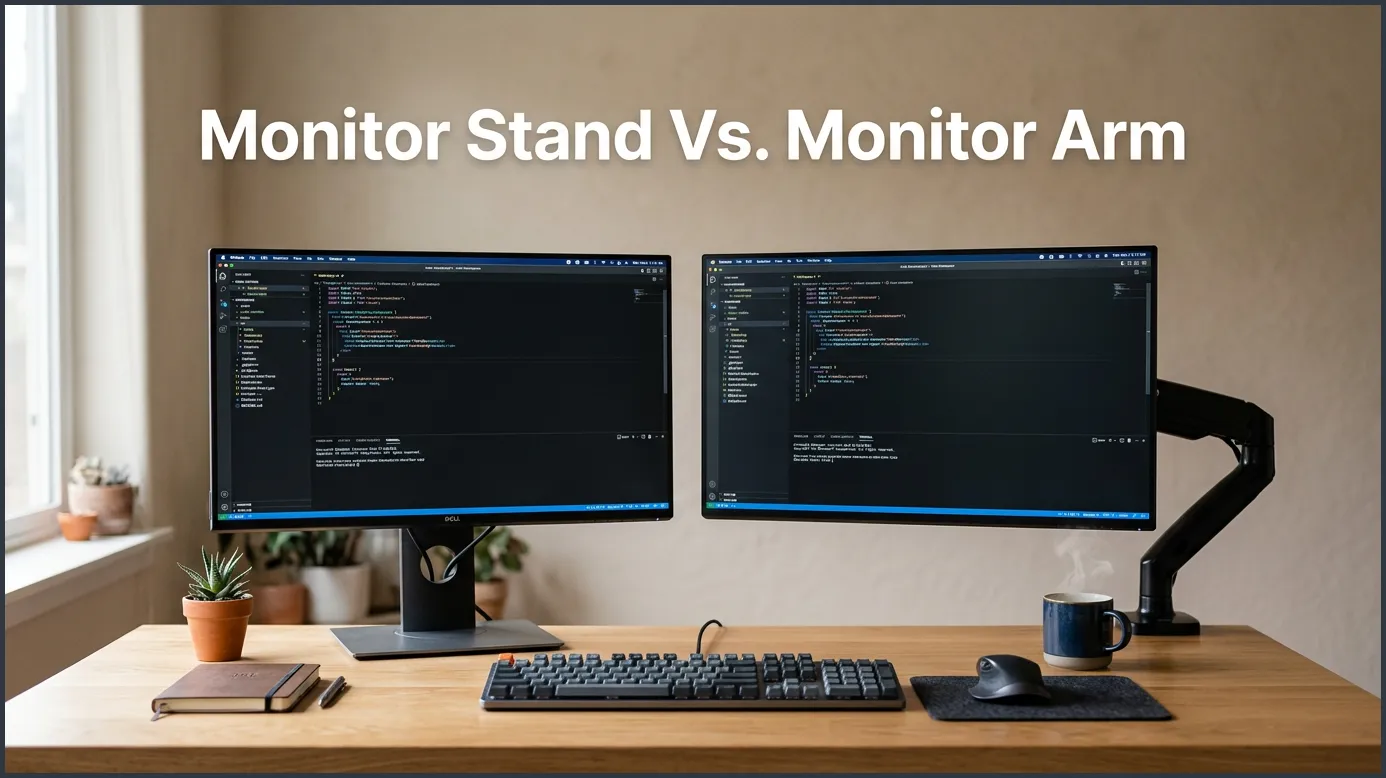
Choosing between a monitor stand and a monitor arm depends on your workspace needs and ergonomic goals. A monitor stand offers simple, stable, and cost-effective support with minimal setup. However, a monitor arm provides superior adjustability and frees up valuable desk space, making it the ultimate choice for dynamic, clutter-free work environments.
Imagine sitting down at your desk for a long day of work. Within an hour, you feel a familiar, annoying ache in your neck. You lean forward, squinting at your screen, and realize your posture is completely ruined. Your desk is also crowded with notebooks, a coffee mug, and a keyboard. There is barely any room to move your mouse. This is a common problem for anyone who spends hours in front of a computer screen.
The setup of your workspace plays a huge role in your comfort and productivity. A simple change to how your screen is mounted can make a massive difference. This brings us to a major decision: should you use a traditional monitor stand, or is it time to upgrade to a flexible monitor arm? Both options have loyal fans, but they serve very different needs.
In this guide, we will break down the features, benefits, and drawbacks of both setups. We will compare how they affect your posture, your desk space, and your wallet. By the end, you will know exactly which choice is right for your daily work or gaming routine.
Key Takeaways
- Ergonomics: Monitor arms allow infinite adjustments to height, tilt, and rotation, which helps reduce neck strain.
- Desk Space: Monitor arms clamp to the desk edge, freeing up valuable desktop surface area.
- Setup and Mobility: Monitor stands require zero installation effort and are highly portable if you move desks.
- Cost: Monitor stands are generally cheaper, while arms are a premium investment.
- Desk Compatibility: Monitor arms require VESA-compatible monitors and a sturdy desk that can handle the clamp weight safely.
📑 Table of Contents
What is a Monitor Stand?
A monitor stand is the classic support base that sits directly on your desk surface. Most computer monitors come with a basic plastic or metal stand right in the box. These stands are designed to keep your screen upright and stable. However, there is a big difference between a cheap stock stand and a premium aftermarket stand.
The Standard Stand vs. Desktop Risers
Stock stands usually offer very little adjustment. They might tilt forward or backward slightly, but they rarely let you change the height. To fix this, many people use desktop risers or monitor stands with storage drawers. These risers sit on top of your desk and raise the monitor to eye level. They often include handy cubbies for your pens, post-it notes, and phone.
Pros of Using a Monitor Stand
First, monitor stands are incredibly easy to use. There is no complicated installation or drilling required. You simply place the stand on your desk, put your monitor on top, and you are ready to go. This makes them highly portable. If you like to change your desk layout often, you can move a stand in seconds.
Second, stands are very stable. They rely on gravity and a wide base to keep your screen secure. You do not have to worry about desk thickness or clamp strength. Lastly, they are highly budget-friendly. You do not need to spend extra money because a basic stand comes free with your monitor. Even premium wooden or metal risers are highly affordable.
Cons of Using a Monitor Stand
The biggest drawback of a monitor stand is the loss of desk space. The base of the stand sits directly in your prime workspace. This leaves less room for your keyboard, mouse pad, and paperwork.
Another issue is limited adjustability. If you cannot adjust the height, you may end up hunching over. This bad posture leads to neck strain, shoulder pain, and eye fatigue over time. Even if you use a riser, you are stuck with one fixed height.
What is a Monitor Arm?
A monitor arm is a mechanical bracket that clamps to the edge of your desk or mounts through a grommet hole. It holds your monitor suspended in the air. This device acts like a human arm, with joints that bend, rotate, and stretch. It allows you to move your screen in almost any direction with a gentle push.
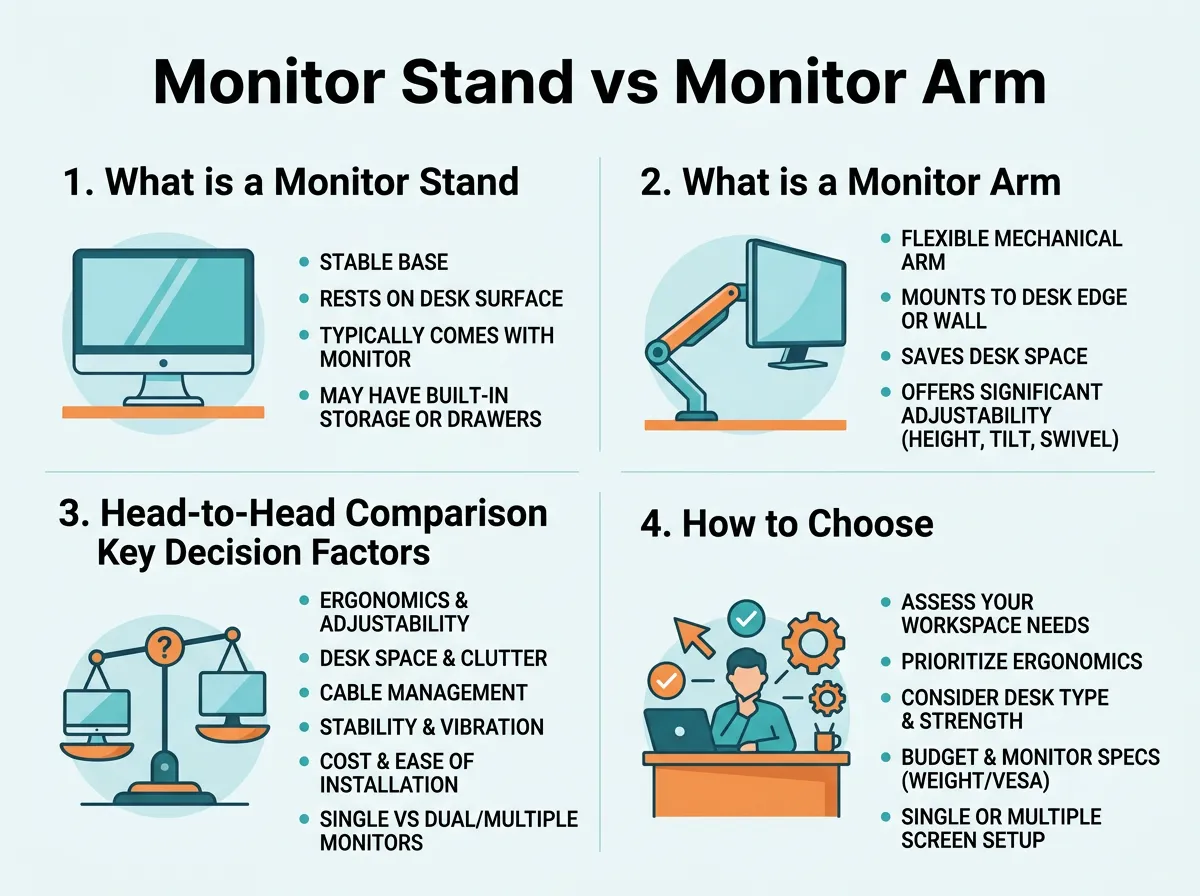
Monitor Stand vs. Monitor Arm — key points at a glance
Types of Monitor Arms
There are two main types of monitor arms: mechanical spring arms and gas spring arms. Mechanical spring arms use physical springs to hold the weight. They are durable and budget-friendly. Gas spring arms use pressurized gas cylinders. They offer incredibly smooth, fluid movements. You can adjust them with the touch of a single finger.
Pros of Using a Monitor Arm
The primary benefit of a monitor arm is perfect ergonomics. You can adjust the height, distance, and angle of your screen exactly to your liking. You can even rotate your monitor into portrait mode. This is great for programmers, writers, and data analysts who read long documents.
Another huge plus is the reclaimed desk space. Because the arm clamps to the edge of the desk, the area directly under your screen is completely free. This gives you a clean, minimalist look. You can read more about these space-saving perks by comparing the features of monitor arms and stands to see which fits your daily workflow.
Cons of Using a Monitor Arm
Monitor arms are more expensive than stands. High-quality arms, especially dual or triple-monitor arms, require a larger upfront investment.
Installation also takes more effort. You have to clamp the base securely to your desk and attach the monitor using screws. If your desk is made of weak material, like hollow particleboard, a heavy monitor arm can actually crack or damage the wood.
Head-to-Head Comparison: Key Decision Factors
Now, let’s compare these two options side by side. When looking at a Monitor Stand vs. Monitor Arm setup, several key factors come into play.
Ergonomics and Health Benefits
Ergonomics should be your top priority. If you suffer from back or neck pain, a monitor arm is the clear winner. It lets you bring the screen directly to your eye level, preventing slouching. It also helps you adjust the focal distance. This means you can keep the screen close enough to read comfortably without straining your eyes. A standard stand simply cannot match this level of physical comfort.
Desk Space and Organization
If you love a tidy, modern desk, a monitor arm is a game-changer. It lifts your monitor off the desk entirely, creating a floating effect. This opens up room for a larger desk pad, external speakers, or a drawing tablet. A monitor stand, even a small one, always takes up prime real estate right in the middle of your desk.
Installation and Setup
For sheer simplicity, the monitor stand wins. You do not need any tools or technical skills. You just set it down. On the other hand, a monitor arm requires you to check VESA mount compatibility. VESA is the standard four-hole pattern on the back of your monitor. If your monitor does not have these holes, you will need a special adapter. You can learn more about these requirements in this helpful guide on important factors to consider before purchasing a monitor arm.
Price and Value
If you are on a tight budget, the monitor stand is the logical choice. It costs nothing if you use the stock stand, and aftermarket risers are cheap. Monitor arms are a premium upgrade. However, the ergonomic benefits and extra desk space often justify the higher price tag for long-term health.
How to Choose the Perfect Option for Your Desk
Still undecided? Let’s narrow down your choices by analyzing your specific work setup. Here is a practical checklist to help you decide.
Assess Your Desk Material
Look at what your desk is made of. Is it solid wood, metal, or thick glass? If so, it can easily handle a heavy monitor arm clamp. However, if you have a cheap desk made of paper-filled cardboard or thin particleboard, a clamp might crush the surface. In this case, a sturdy desktop stand is much safer.
Check Your Monitor’s VESA Compatibility
Turn your monitor around and look at the back. Do you see four screw holes in a square pattern? If yes, your monitor is VESA-compliant and ready for an arm. If the back is completely smooth, you will have to stick with a stand or buy a clunky adapter bracket.
Determine Your Daily Work Style
Do you sit in the exact same spot and position all day? A simple monitor stand or riser will do the trick. But do you use a standing desk? If you transition between sitting and standing, your eye level changes. A monitor arm allows you to adjust the screen height instantly to match your posture. If you need help choosing between stands and arms based on usability, you can read further about choosing between stands and arms based on usability.
Conclusion
In the battle of Monitor Stand vs. Monitor Arm, there is no single right answer. It all comes down to your personal workspace, health needs, and budget.
If you want a simple, budget-friendly setup that works straight out of the box, a monitor stand is perfect. It does the job without any fuss or installation worries.
However, if you want to maximize your desk space, improve your posture, and enjoy a clean, modern aesthetic, a monitor arm is worth every penny. Investing in your workspace is an investment in your health and daily comfort. Take a look at your current desk today, think about your daily pain points, and make the upgrade that fits your lifestyle.
Frequently Asked Questions
Can any monitor be mounted on a monitor arm?
No, your monitor must have VESA mount holes on the back to be compatible with an arm. If it does not, you will need to purchase a special VESA adapter bracket. Always check your monitor’s specifications before buying an arm.
Do monitor arms damage desks?
A monitor arm can damage weak desks made of hollow particleboard or glass if clamped too tightly. To prevent damage, use a reinforcement plate or choose a solid wood or metal desk. Always check the desk thickness guidelines provided by the arm manufacturer.
Are monitor stands cheaper than monitor arms?
Yes, monitor stands are generally much cheaper because a basic stand comes free with your monitor. Even premium aftermarket stands or wooden risers are usually less expensive than high-quality gas spring monitor arms.
Can I use a monitor arm with a standing desk?
Absolutely, monitor arms are highly recommended for standing desks. They allow you to easily adjust your screen’s height and angle as you transition from sitting to standing. This helps you maintain perfect ergonomics throughout the day.
What is the benefit of a gas spring monitor arm?
Gas spring monitor arms use pressurized gas to counterbalance the weight of your screen. This allows you to make smooth, effortless adjustments in any direction with a light touch. They are highly flexible and quieter than mechanical spring arms.
Does a monitor stand save any desk space?
Standard monitor stands actually consume a lot of valuable desk space because of their wide bases. However, you can buy a monitor stand riser with built-in shelves. This allows you to store office supplies underneath the screen, saving some usable space.
