



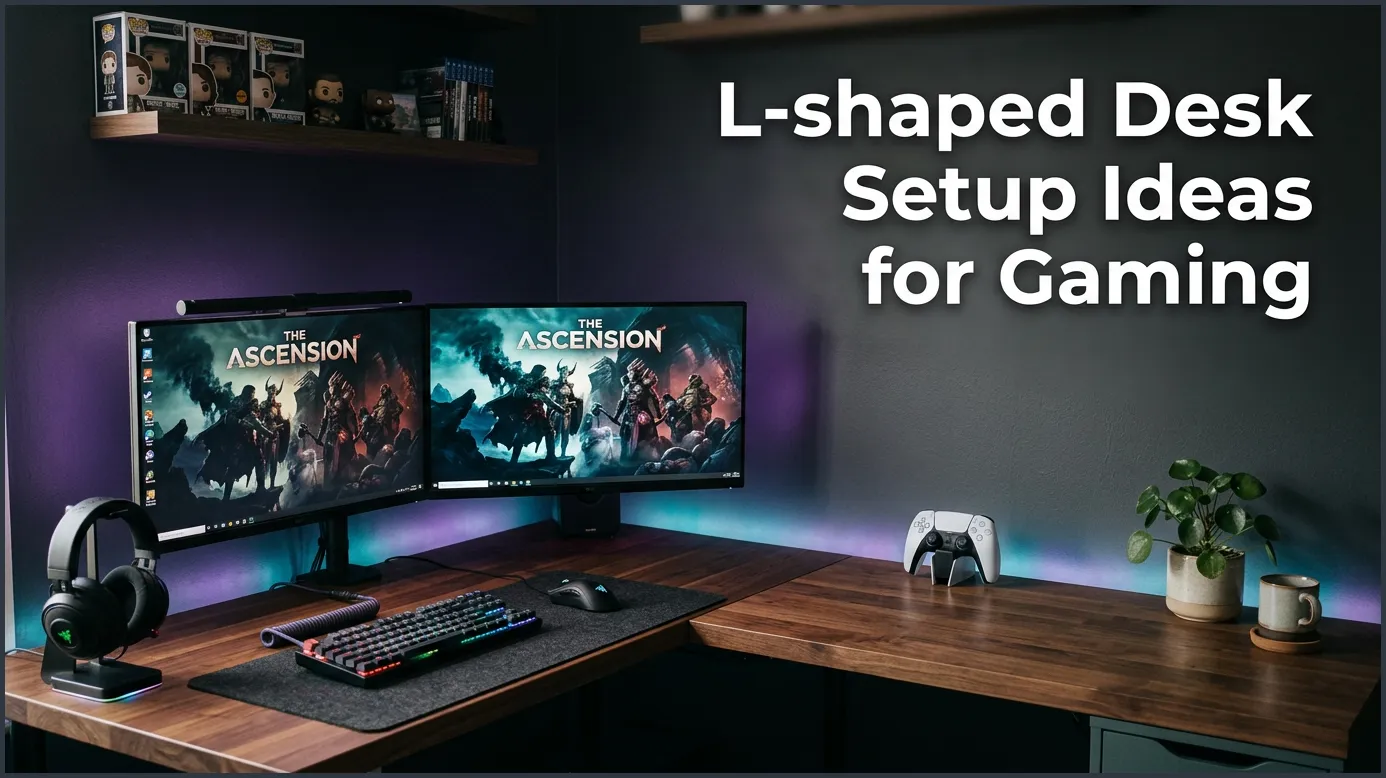
An L-shaped gaming desk maximizes corner space and offers distinct zones for play and work. By using smart monitor layouts, RGB lighting, and neat cable management, you can build a highly immersive battle station. This layout gives you twice the surface area to keep all your gear close at hand.
Close your eyes and think about your dream gaming room. Is it clean? Is it spacious? Do you have enough room to swing your mouse during an intense match? Many gamers face the same issue. They run out of desk space. A standard straight desk can feel very cramped. Once you add a monitor, a keyboard, and a mouse, there is no room left. This is where corner desks save the day. They give you the space you need to play and work without compromise.
If you feel crowded at your current desk, it is time for a change. Upgrading your desk shape can give you a fresh start. It opens up your room and makes your setup look professional. Plus, you will have plenty of room for all your gaming gear, speakers, and snacks.
In this guide, we will explore some of the best L-shaped desk setup ideas for gaming. We will look at how to place your screens for the best view. We will learn how to hide your cords. We will also talk about lighting to make your station shine. Let’s jump in and build your perfect command center.
Key Takeaways
- Dual-Zone Functionality: An L-shaped desk allows you to easily separate your work life from your gaming life.
- Corner Placement: Placing your main monitor in the center bend creates a highly immersive, cockpit-like feel.
- Cable Management is Key: Under-desk trays and adhesive clips keep your extensive wiring completely hidden.
- Better Ergonomics: Using monitor arms helps clear up desk space and keeps your screens at a healthy eye level.
- Showcase Your PC: Use the extra desk depth to safely display your custom PC tower away from floor dust.
📑 Table of Contents
Why Choose an L-Shaped Desk for Gaming?
An L-shaped desk is a game-changer. It fits perfectly into corners. This helps you use the space in your room that often goes to waste. If you have a small room, this shape can give you a lot more desk area without taking over the whole floor.
Unmatched Surface Area
A straight desk only gives you one direction of space. An L-shaped desk gives you two large surfaces. This design makes it easy to keep everything in reach. You can have your heavy PC tower on one side. You can have your screens in the middle. You still have plenty of open space for snacks, drinks, or controllers.
Perfect Room Placement
Most rooms have empty corners. Putting a desk there makes the room feel much larger. It creates a cozy gaming nook. You feel tucked away and focused on your game. It also keeps your gaming gear out of the main pathway of the room.
Top L-Shaped Desk Setup Ideas for Gaming
There are many ways to arrange your desk. The best way depends on how you use your room. Let us look at some popular options. For more inspiration, you can check out these clever L-shaped desk configurations that work for any room size.

L-Shaped Desk Setup Ideas for Gaming — key points at a glance
The Dual-Zone Setup
Do you work from home? Or do you study and game in the same room? The Dual-Zone setup is perfect for you. You use one side of the desk for your job or school. Put your work laptop, books, and pens here. Use the other side strictly for your gaming PC. This helps your brain switch modes. When you move to the gaming side, your work day is over. It keeps your life balanced and organized.
The Ultra-Wide Corner Command Center
This layout puts you right in the bend of the desk. Place your main monitor in the exact corner. Then, place your side monitors along the left and right wings. This wraps the screens around your field of view. It feels highly immersive, like you are inside a spaceship. It is one of the most popular L-shaped desk setup ideas for gaming because it uses every inch of the desk.
The Streamer’s Dream Layout
Streaming requires a lot of gear. You need a camera, a microphone, lights, and sometimes a second PC. An L-shaped desk is perfect for this. You can put your main gaming screens on one side. Place your stream chat, soundboard, and capture cards on the other side. This keeps your view clear and lets you interact with your fans easily. For more tips on layouts, look at this ergonomic desk layouts guide to keep your body comfortable while you stream.
Essential Ergonomics and Monitor Placement
Sitting for hours can hurt your back. A good setup must be healthy for your body. When thinking about L-shaped desk setup ideas for gaming, ergonomics should be your first step. You want to feel comfortable during long play sessions.
Setting Up Monitor Arms
Do not leave your screens on their default stands. Stands take up too much desk space. Instead, use clamp-on monitor arms. These hold your screens above the desk. This frees up space underneath them. You can adjust the height so the top of your screen is at eye level. This stops you from bending your neck down.
Chair Positioning for Corner Comfort
If you sit in the corner bend, make sure your chair can roll smoothly. Your feet should rest flat on the floor. Your knees should make a ninety-degree angle. Keep your keyboard and mouse close enough so you do not have to stretch your arms out. This protects your shoulders from strain.
Taming the Cable Chaos
More desk space means more wires. With two desks joined together, cables can quickly become a messy web. A clean desk looks better and feels better to use. You need a solid plan to hide those wires.
Under-Desk Cable Trays
Do not let your power strips sit on the floor. Screw a metal cable tray to the underside of your desk. Place your power strips inside the tray. Then, run all your cables into it. This keeps the floor completely clear. It makes vacuuming easy and looks incredibly neat.
Wireless Gear and Adhesive Clips
Use wireless mice and keyboards to cut down on cords. For the cables you must keep, use adhesive cable clips. Stick them to the back of your desk legs. You can run your monitor power cords down the legs so they are invisible from the front. This keeps your view clean.
Lighting and Aesthetic Upgrades
A great gaming desk is not just useful. It must look cool, too! The right lighting can make your setup look like a professional studio. If you want ideas on how to style your space, check out these creative aesthetic styles that can match your room design.
Ambient RGB Backlighting
Stick LED light strips along the back edges of your L-shaped desk. Point the lights toward the wall. This creates a soft glow behind your screens. It reduces eye strain when you play in the dark. It also looks amazing in photos. You can match the light colors to your PC fans.
Showcasing Your PC Tower
Your PC is the star of the show. Do not hide it on the floor where it collects dust. Place it on the far corner of your L-shaped desk. This shows off your RGB fans and graphics card. It also keeps your PC safe from spills and pets.
Conclusion
Upgrading your gaming space is an exciting project. An L-shaped desk gives you the room to build your dream station. You can separate your work from your play. You can mount multiple screens. You can showcase your beautiful PC tower. Use these L-shaped desk setup ideas for gaming to plan your perfect layout. Take your time, hide your cables, and enjoy your new ultimate battle station!
Frequently Asked Questions
Is an L-shaped desk good for gaming?
Yes, L-shaped desks are excellent for gaming. They provide massive surface area for multiple monitors, keyboards, and other accessories. They also fit perfectly into room corners to save floor space.
Where should I sit at an L-shaped desk?
The best place to sit is directly in the inner corner bend of the desk. Sitting here allows you to reach both sides of the desk easily. It also gives you a great wrap-around view if you use multiple monitors.
How do I manage cables on an L-shaped gaming desk?
You can manage cables by mounting power strips under the desk using wire trays. Use adhesive clips to guide cords along the back edges and down the desk legs. This keeps all wires completely out of sight.
Can I fit two monitors on an L-shaped desk?
Yes, you can easily fit two or even three monitors on an L-shaped desk. You can place them side-by-side along one wing, or span them across the corner bend. Using monitor arms will help you save even more desktop space.
Should I put my PC tower on the desk or the floor?
It is best to put your PC tower on the desk. Placing it on the desk protects it from floor dust and pet hair, which keeps it running cool. An L-shaped desk has plenty of room to display your PC safely.
How do I separate work and gaming on an L-shaped desk?
You can create a dual-zone setup by dedicating one side of the desk to work or study. Place your gaming monitors on the other side of the desk. Simply turn your chair to switch between work mode and play mode.
