



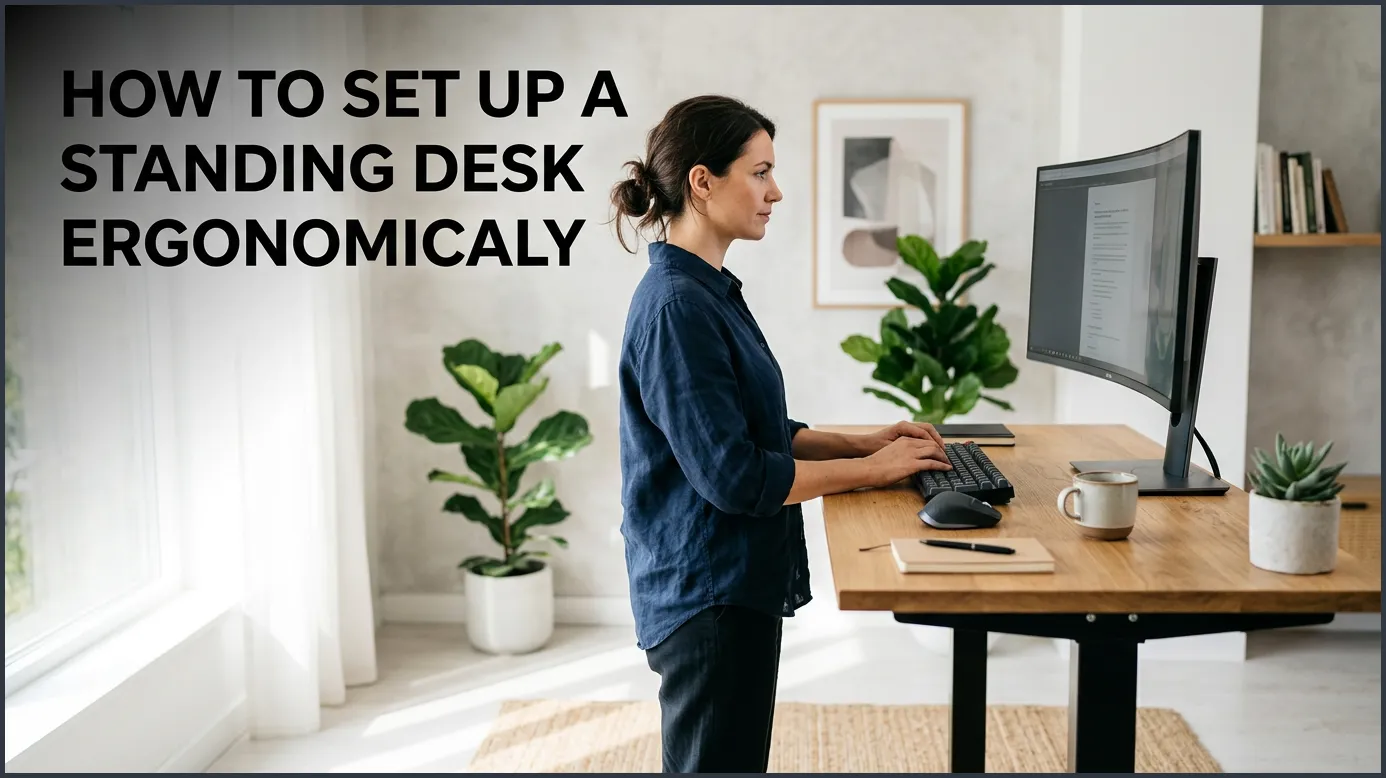
Setting up a standing desk ergonomically requires keeping your elbows at a 90-degree angle, your eyes level with the top third of your monitor, and your feet flat on the floor. By maintaining proper posture and transitioning slowly between sitting and standing, you can prevent fatigue and boost your comfort. Invest in a supportive anti-fatigue mat and keep your most-used tools within close reach to support your body’s natural alignment.
Imagine this. You finally bought a beautiful, brand-new standing desk. You press the button, and it rises smoothly. You feel excited to stand up, stretch your legs, and conquer your workday. But after just an hour, your feet start to throb. Your lower back feels tight, and your shoulders are stiff. You might wonder if standing desks are really worth the hype.
The truth is, a standing desk is only as good as its setup. If you do not adjust it correctly, standing can actually cause more discomfort than sitting. It takes more than just raising the desk and standing up. You need to align your screen, your keyboard, and your body in a balanced way.
In this guide, we will walk you through the process step by step. You will learn how to adjust your desk to the perfect height, position your screens, and build healthy standing habits. Let’s dive in and transform your workspace into a comfortable, productive oasis.
Key Takeaways
- Keep elbows bent at 90 degrees: Keep your forearms parallel to the floor to prevent strain on your wrists and shoulders.
- Position monitors at eye level: Place the top of your screen at or slightly below eye level to keep your neck in a neutral position.
- Alternate sitting and standing: Avoid staying in one position all day; aim to switch every 30 to 60 minutes for optimal energy.
- Use an anti-fatigue mat: Support your feet, knees, and lower back by standing on a cushioned, high-quality mat.
- Keep tools within reach: Place your mouse, keyboard, and phone close to your body to prevent awkward reaching.
- Listen to your body: Shift your weight and take brief walking breaks if you start to feel sore or stiff.
📑 Table of Contents
Adjusting Your Desk to the Right Height
The first step is finding your perfect desk height. Many people raise their desks too high. This forces their shoulders up and creates a lot of tension. Let us get your posture right from the start.
The 90-Degree Elbow Rule
Start by standing up straight. Relax your shoulders. Pull them back slightly but keep them loose. Now, bend your elbows at a 90-degree angle. Your forearms should be parallel to the floor. Adjust your desk height until the keyboard and mouse rest right under your hands. Your wrists should remain flat, not bent up or down. If you want to dive deeper into body alignment, you can read the guide on proper posture for sit-stand desks provided by CCOHS.
Avoiding the Shoulder Shrug
If your desk is too high, you will naturally shrug your shoulders. This can lead to headaches and neck pain. If your desk is too low, you will lean forward. This puts pressure on your lower back. Keep your elbows at that perfect L-shape to stay pain-free. This simple change can make a massive difference during long work sessions.
Setting Up Your Monitor for Eye Comfort
Now that your hands are in the right spot, let’s look at your screen. Your head is heavy, and tilting it forward puts massive strain on your neck.
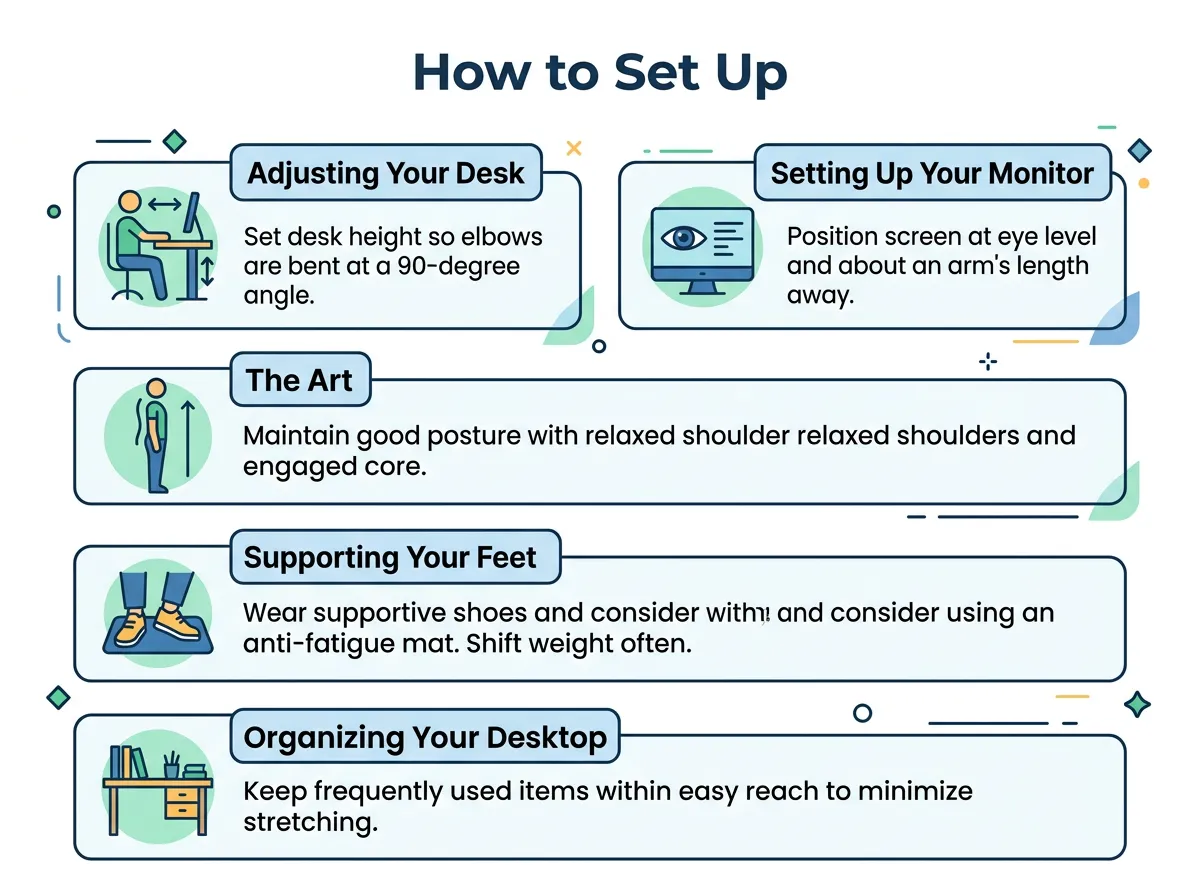
How to Set Up a Standing Desk Ergonomically — key points at a glance
Screen Height and Neck Alignment
Your monitor should be directly in front of you. The top third of the screen should line up with your eyes. When you look at the middle of the screen, your neck should remain straight. You should never have to tilt your head up or down to read. If you use a laptop, consider getting a separate stand and a wireless keyboard to achieve this balance.
Distance and Angle
Keep your monitor about an arm’s length away from your face. If it is too close, you will strain your eyes. If it is too far, you will lean forward to read. Tilt the screen back slightly, about 10 to 20 degrees. This helps reduce glare from overhead lights. For a practical walkthrough on screen placement, you can view the expert setup tips from Wirecutter to optimize your viewing angles.
The Art of the Sit-Stand Transition
Standing all day is not the goal. In fact, standing for eight hours straight can cause varicose veins and sore joints. The secret to success is movement.
Start Slow and Build Up
If you are new to this, do not try to stand for hours on end. Start by standing for 15 to 20 minutes at a time. Do this two or three times a day. As your core and leg muscles get stronger, you can stand for longer periods. It is like training for a sport; you must build endurance over time.
Finding the Golden Ratio
A great rule of thumb is the 20-80 rule or the 1-to-1 ratio. Try to stand for 20 minutes out of every hour, then sit for 40 minutes. Alternatively, you can switch between sitting and standing every 30 to 45 minutes. You can learn more about healthy work intervals from UCLA Health’s ergonomic guidelines, which outline how to balance movement during your day.
Supporting Your Feet and Legs
Your feet carry your entire weight when you stand. Giving them the right support is crucial for your long-term comfort.
The Magic of Anti-Fatigue Mats
Standing on hard wood or concrete is tough on your joints. A high-quality anti-fatigue mat is a game-changer. These mats are made of thick, squishy foam. They force your leg muscles to make tiny, subconscious movements. This keeps your blood flowing and stops your feet from getting sore. It also relieves pressure on your hips and lower spine.
Footwear Matters
Leave the high heels and flat, stiff shoes behind. Wear shoes with good arch support and cushioning. If you work from home, avoid standing barefoot for long periods. Put on a comfortable pair of running shoes or supportive slippers. Your body will thank you for the extra cushioning.
Organizing Your Desktop for Easy Reach
An ergonomic desk is about more than just height. It is also about how you layout your tools. Reaching too far for things can throw your body out of alignment.
The Primary Reach Zone
Keep your most important tools close. This includes your keyboard, mouse, and phone. You should be able to reach them without stretching your arms or bending your back. Place items like your water bottle or notepad slightly further away. This forces you to move a bit, which is great for your body. It keeps your muscles active without causing strain.
Wire Management and Safety
Make sure your cords have enough slack. When you raise your desk, cords should not pull tight. This can damage your gear or create a tripping hazard. Use cable ties or tray baskets to keep things neat and safe. A tidy workspace also helps reduce mental clutter and stress.
Tips for Staying Active While Standing
Standing still is almost as bad as sitting still. The key is to keep active even when you are working.
Shift Your Weight
Do not lock your knees. Keep them slightly bent. Shift your weight from one foot to the other. You can even place one foot on a small stool or box to rest your lower back. This simple movement keeps your joints loose and happy.
Take Mini-Breaks
Every hour, step away from your desk. Do a few gentle stretches. Roll your shoulders back. Shake out your hands. These tiny habits keep your energy high and stop your muscles from freezing up. Remember, the best posture is your next posture.
Conclusion
Setting up your desk does not have to be hard. By following these simple steps, you can create a space that supports your body. Remember to keep your elbows at 90 degrees, your screen at eye level, and to move often. Listen to your body and adjust things until they feel just right. Your body will thank you for making the change!
Frequently Asked Questions
How long should I stand at my desk each day?
You should aim to stand for about 15 to 30 minutes out of every hour. Do not stand all day, as this can strain your joints and cause leg fatigue. Transitioning back and forth between sitting and standing is the best approach.
Should I wear shoes while using a standing desk?
Yes, wearing supportive shoes is highly recommended. Avoid flat slippers or high heels, and try not to stand barefoot on hard floors. Cushioned shoes with good arch support will help protect your joints from strain.
How do I know if my standing desk is too high?
If your desk is too high, you will notice your shoulders shrugging or your elbows bending at a sharp angle. This can lead to neck and shoulder tension over time. Your forearms should rest parallel to the floor with your shoulders relaxed.
Is an anti-fatigue mat really necessary?
While not strictly mandatory, an anti-fatigue mat is highly beneficial. It cushions your feet and encourages micro-movements in your legs, which improves blood flow. This simple addition can greatly reduce lower back and foot pain.
Where should my keyboard and mouse be placed?
Your keyboard and mouse should be close enough that your elbows stay bent at a 90-degree angle. You should not have to reach forward or strain your wrists to type. Keep them on the same level to maintain balanced arm movement.
Can using a standing desk help with back pain?
Yes, a standing desk can help reduce back pain by relieving pressure on your spine from sitting. However, you must set it up at the correct height and avoid standing still for too long. Moving and shifting your weight regularly is key to pain relief.
