



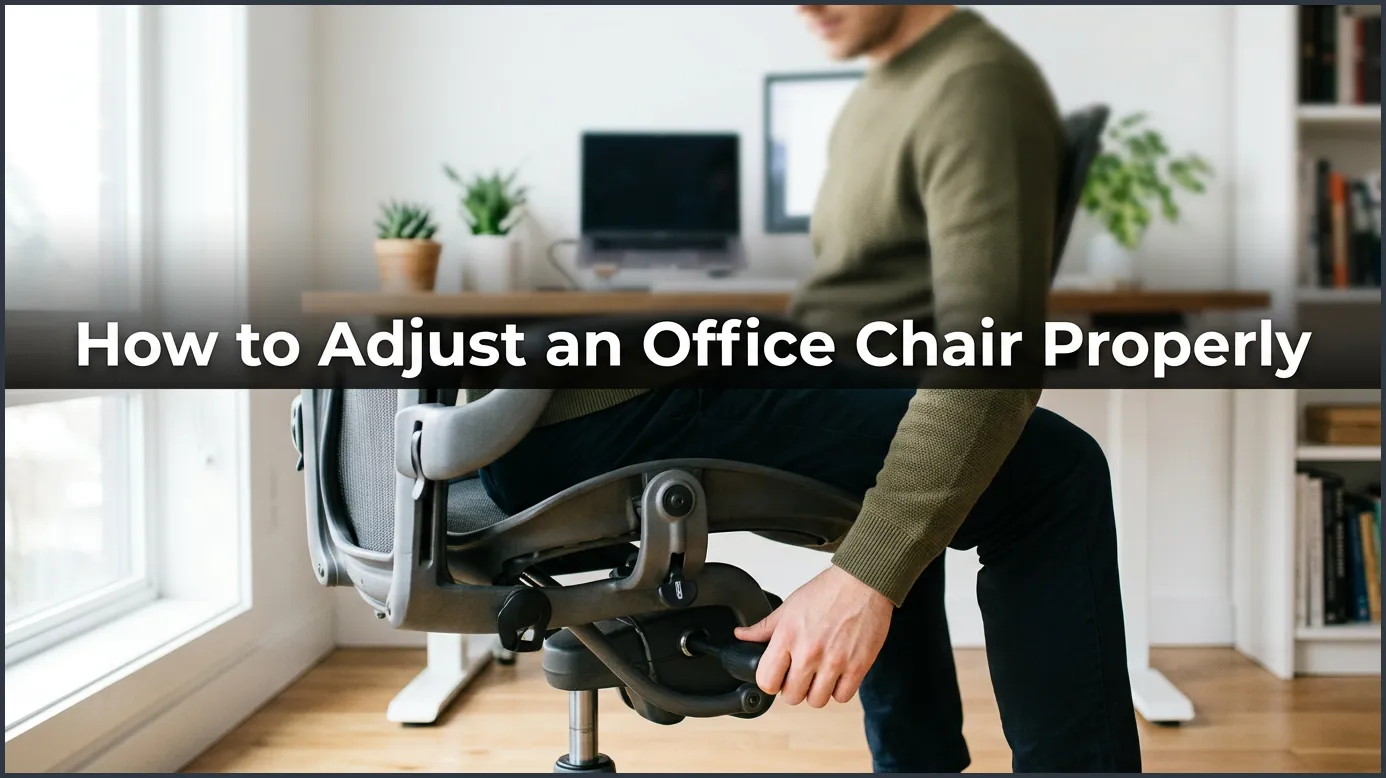
To adjust your office chair correctly, start by setting the seat height so your feet rest flat on the floor and your knees form a 90-degree angle. Next, adjust the lumbar support to fit the curve of your lower back, and position the armrests so your shoulders remain fully relaxed. Finally, set the seat depth to leave a small gap between your knees and the edge of the seat to boost circulation.
Do you feel tired after a long day of work? You might have a sore back. Your neck might feel stiff. Many people blame their heavy workload for this pain. But the real problem is often your seat.
We sit for many hours each day. Yet, we rarely think about our chairs. We just sit down and start typing. This habit can hurt your health over time. It can cause muscle strain and make you feel very tired.
In this guide, you will learn how to make your seat work for you. We will show you how to adjust an office chair properly. You do not need to buy a new desk. You just need to make a few quick changes. Let us find out how to do it.
Key Takeaways
- Seat Height: Your feet must rest flat on the floor with knees at a 90-degree angle.
- Lumbar Support: The lower back support should fit snugly into the natural curve of your spine.
- Seat Depth: Leave a two-inch gap between the back of your knees and the seat edge.
- Armrest Level: Adjust armrests so your shoulders stay relaxed and your elbows bend at 90 degrees.
- Recline and Tilt: Keep your chair back slightly reclined to reduce pressure on your spine.
- Movement: Change your position often throughout the day to keep blood flowing well.
📑 Table of Contents
Start with Seat Height
The Flat Feet Rule
Your feet are the base of your posture. When you sit, your feet must be flat on the floor. This keeps your weight spread out. If your feet dangle, it puts pressure on your thighs. This can slow down your blood flow. Over time, your legs might feel numb or cold.
You should check how your legs feel right now. Are they hanging in the air? If so, find the lever under your seat. Press it to lower your chair. Your feet should rest flat and easy on the ground. You can learn more about these basic setup steps from the Canadian Centre for Occupational Health and Safety guide on chair adjustments. It is a great resource for desk safety.
Finding the Right Knee Angle
Next, look at your knees. They should bend at a 90-degree angle. Your hips should be at the same level as your knees. They can also be slightly higher than your knees. This angle stops your pelvis from tilting back.
Never let your knees point up high. This tilts your hips back and flattens your lower spine. It makes your spine curve in a bad way. If your desk is too high, you might need to raise your chair. If your feet lift off the floor when you do this, use a footrest. A footrest keeps your knees at the right angle and supports your feet.
Support Your Lower Back
Locate Your Spine’s Natural Curve
Your spine is not straight. It curves in like the letter S. Your lower back curves inward toward your belly. This is called the lumbar curve. When you sit, this curve needs support. Without it, you will slouch.
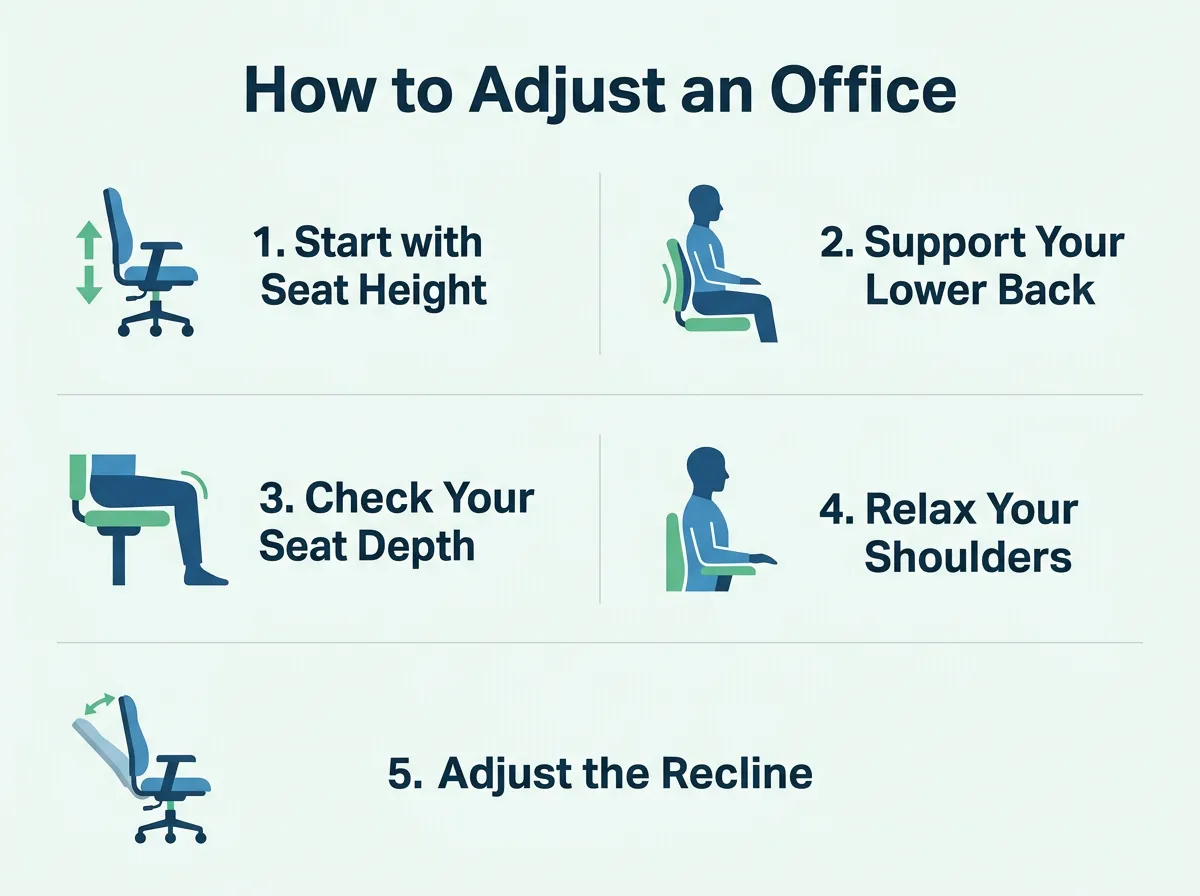
How to Adjust an Office Chair Properly — key points at a glance
A good office chair has a bump near the bottom. This is the lumbar support. To adjust an office chair properly, this support must fit your spine. It should push gently against your lower back to help you sit up straight.
Slide the Backrest Up or Down
Sit all the way back in your chair. Your bottom should touch the backrest. Now, feel where the support hits your back. If it is too low, it will press on your tailbone. If it is too high, it will push your shoulders forward. Neither of these is good for you.
Most chairs let you slide the backrest up or down. Move it until the bump fits the curve of your back. This helps you sit tall without extra effort. If you want to dive deeper into why this matters, check out the Wirecutter guide to chair adjustments for more expert tips. It will guide you through the process of setting up your spine support.
Check Your Seat Depth
The Two-Finger Test
Seat depth is the distance from the front of your seat to the backrest. If the seat is too deep, it will press against the back of your knees. This blocks blood flow. It also makes you slide forward, which hurts your back. If the seat is too short, your thighs will not have enough support.
To test this, sit all the way back. Place your fingers behind your knee. There should be a small gap between your knee and the chair. The gap should be about two inches wide. This is about the width of two or three fingers. If you have this gap, your seat depth is perfect.
Adjusting the Seat Pan
Some chairs have a lever to slide the seat forward or backward. Use this lever to get the right gap. Slide the seat until you feel no pressure on the back of your knees.
If your chair does not slide, you can use a back cushion. A thick cushion pushes your body forward. This creates the gap you need to save your knees. It is a quick and cheap fix for a deep chair.
Relax Your Shoulders and Arms
Set the Armrest Height
Your arms are heavy. If they hang down, they pull on your neck and shoulders. This causes neck pain and headaches. If your armrests are too high, your shoulders will shrug. This leads to upper back pain.
To fix this, let your shoulders drop. Relax them completely. Now, raise the armrests until they touch your elbows. Your elbows should bend at a 90-degree angle. Your arms should rest lightly on the pads. You should not have to lift your shoulders to use them.
Adjust the Armrest Width
Many chairs let you move the armrests in or out. Keep them close to your body. If they are too wide, you will reach out to use them. This puts stress on your shoulder joints. Keep your elbows tucked near your ribs. This posture is safe and easy to hold for hours.
Adjust the Recline and Tilt
Avoid Sitting Too Straight
You might think sitting at a 90-degree angle is best. But science shows this is not true. Sitting perfectly straight puts a lot of stress on your spine. It can squash the discs in your back.
Instead, lean back slightly. A recline angle of 100 to 110 degrees is best. This opens up your hips. It lets the chair back take some of your body weight. This reduces the strain on your lower back muscles.
Set the Tilt Tension
Your chair likely has a knob under the seat. This knob controls the tilt tension. If the tension is too loose, you will fall backward. If it is too tight, you cannot lean back at all.
Turn the knob until you can lean back with ease. The chair should support you. It should not make you work hard to stay upright. This is a key step when you want to adjust an office chair properly.
Match Your Chair to Your Desk
The Keyboard Height
Once your chair is set, look at your desk. Your keyboard should be at elbow height. Your wrists should be straight when you type. Do not bend your wrists up or down.
If you must reach up, your desk is too high. Raise your chair to match. Remember to use a footrest if your feet leave the floor. This keeps your posture perfect and your joints happy.
Set Your Screen at Eye Level
Your eyes should look straight ahead. The top of your screen should line up with your eyes. If the screen is too low, you will bend your neck. This causes a lot of pain over time.
Use a monitor stand or books to raise your screen. This simple trick keeps your neck happy all day. For more details on how to set up your entire office space, read this helpful article on how to adjust an ergonomic chair to fit your body perfectly. It covers everything from screens to keyboards.
Conclusion
Setting up your seat is very important. It takes only a few minutes to do. Yet, the benefits last for years. You will have more energy and less pain. You will also get more work done because you are comfortable.
Remember to check your posture daily. Your body will thank you for it. Now you know how to adjust an office chair properly. Take five minutes right now to fix your seat. Your back will feel better today!
Frequently Asked Questions
How high should my office chair be?
Your office chair should be high enough so that your feet rest flat on the floor. Your knees should bend at a 90-degree angle, with your hips level with or slightly higher than your knees. This height keeps your blood flowing and stops lower back strain.
How do I know if my lumbar support is in the right place?
The lumbar support should fit right into the natural curve of your lower back. If it presses on your tailbone, it is too low. If it pushes your upper back forward, it is too high.
What should I do if my feet do not reach the floor?
If your feet do not reach the floor after adjusting your chair, you should use a footrest. This keeps your knees at the proper 90-degree angle. Never let your feet dangle, as this cuts off blood flow.
Why does my neck hurt when I sit in my chair?
Neck pain usually happens because your computer screen is too low or your armrests are too high. Try raising your screen to eye level so you do not have to look down. Also, lower your armrests so your shoulders can stay fully relaxed.
How often should I adjust my chair?
You should adjust your chair whenever you feel stiff or when someone else sits in it. It is also good to make tiny changes to your position throughout the day. This keeps your muscles active and stops body fatigue.
Is sitting straight at a 90-degree angle bad for your back?
Yes, sitting perfectly straight at 90 degrees can put a lot of pressure on your spine. It is much better to lean back slightly at an angle of 100 to 110 degrees. This posture lets the back of the chair support your upper body weight.
