



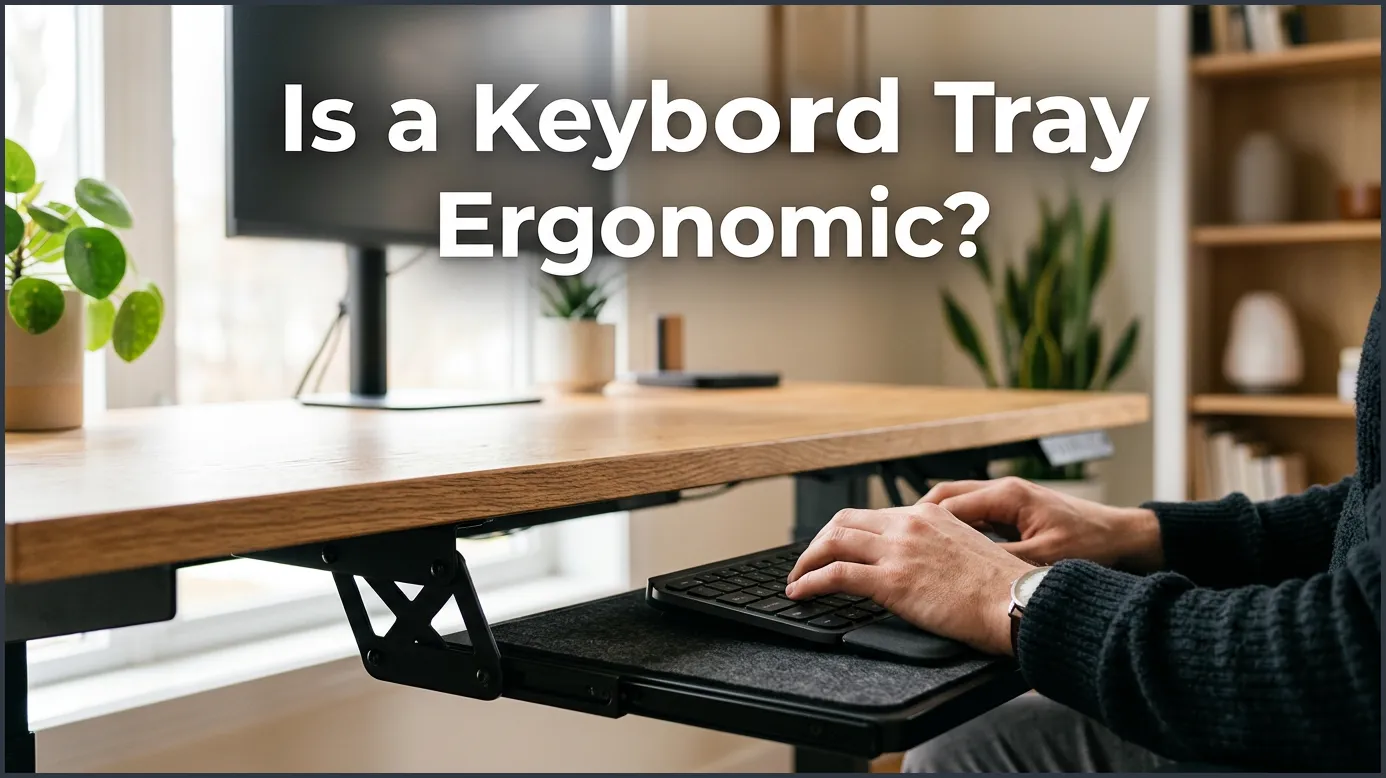
Yes, a keyboard tray is highly ergonomic because it allows you to adjust the height and tilt of your keyboard, which helps you keep your wrists neutral and your shoulders relaxed. By bringing your typing surface closer and lower, a tray reduces strain on your neck and upper back. This simple addition to your workspace is an effective way to prevent long-term repetitive strain injuries.
Imagine you are sitting at your desk on a busy Tuesday afternoon. You have been typing for hours. Now, you start to feel a familiar ache. Your shoulders are tight. Your neck feels stiff. Your wrists are starting to throb. You try to sit up straight, but within minutes, you slouch back down. Your keyboard sits on top of your flat desk. This forces your arms to reach up and forward. You might start to wonder if there is a better way to set up your work area to avoid this daily pain.
This discomfort is why many people look into office upgrades. When looking for a solution, one question comes up more than any other: Is a Keyboard Tray Ergonomic? It is easy to think of these sliding shelves as old-fashioned accessories. Many people associate them with the days of bulky computer monitors. However, modern workspace design has brought them back into the spotlight. They address a fundamental flaw in standard desk designs.
In this article, we will take a close look at how these accessories affect your body. We will explore the science of typing posture. We will explain how these trays work. We will also list the pros and cons of using one. Finally, we will help you figure out how to set one up for your specific needs. By the end, you will know exactly if this simple tool is the right choice for your office.
Key Takeaways
- Neutral Wrist Position: A keyboard tray helps you tilt your keyboard downward, keeping your wrists straight and reducing strain.
- Shoulder and Neck Relief: It lowers your typing height, which allows your shoulders to relax and reduces tension in your neck.
- More Desk Space: Mounting your keyboard underneath clears up valuable room on your main desktop surface.
- Adjustable Comfort: Most high-quality trays offer height and tilt adjustments to fit your unique body shape.
- Prevention of Pain: Proper alignment can prevent long-term repetitive strain injuries like carpal tunnel syndrome.
- Standing Desk Compatibility: Some trays are specifically designed to work well with sit-stand desks to maintain proper posture.
📑 Table of Contents
Why Typing Height Matters for Your Body
To understand if a tray will help you, we must first look at how we sit. Most standard office desks are about 29 to 30 inches tall. This height is actually designed for writing on paper with a pen. It was not designed for typing on a computer keyboard. When you put a keyboard on a high desk, your body has to adapt in unhealthy ways to reach the keys.
The Danger of High Desks
When your desk is too high, you must lift your shoulders to reach your keys. This constant lift tenses your muscles. Over time, this causes shoulder pain and neck stiffness. It can also lead to tension headaches. High desks force your elbows to bend at a sharp angle. This can pinch nerves and restrict blood flow. It makes your arms work much harder than they need to just to stay in position.
The Ideal Typing Angle
Ergonomics experts suggest that your elbows should bend at a 90-degree angle. A slightly wider angle is also good. Your forearms should be parallel to the floor or slope slightly downward. Your wrists should remain straight. They should not bend upward or downward. It is very hard to achieve this natural posture on top of a standard desk. This is why many people ask, Is a Keyboard Tray Ergonomic? Yes, because it lowers your typing surface to a height that naturally fits your body’s shape.
How a Keyboard Tray Improves Ergonomics
A keyboard tray is more than just a shelf under your desk. It is an adjustable platform. It brings your input devices to you, rather than forcing you to reach for them. Let us look at the primary ways these devices improve your daily comfort and health.
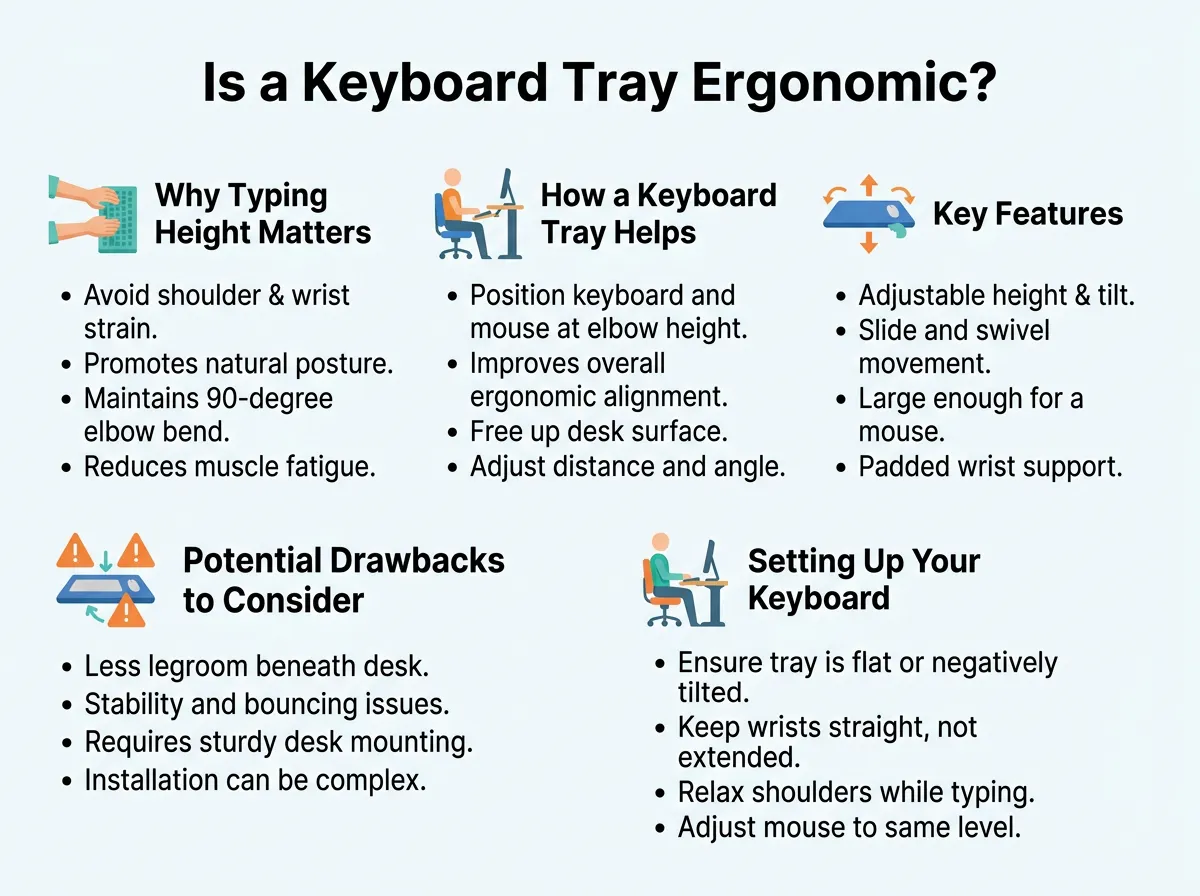
Is a Keyboard Tray Ergonomic? — key points at a glance
Neutral Wrist Posture Explained
One of the biggest benefits of a tray is the ability to tilt your keyboard. When you type on a flat desk, you often bend your hands upward. This position is called dorsiflexion. It puts pressure on your carpal tunnel. This can lead to pain, numbness, and long-term injury. A good tray allows you to create a “negative tilt.” This means the back of the keyboard is lower than the front. A negative tilt keeps your wrists in a straight, neutral line, which reduces pressure on your joints.
Reducing Strain on Shoulders and Neck
By bringing the keyboard closer and lower, you do not have to lean forward to type. You can sit fully back in your office chair. This lets the backrest support you. Your shoulders can drop into a relaxed, natural position. You can read more about these physical benefits in this keyboard tray ergonomics benefits guide. Moving your keyboard lower also keeps your elbows close to your sides. This stabilizes your upper body and stops you from hunching over your desk.
Key Features of an Ergonomic Keyboard Tray
Not all trays are created equal. To get the full health benefits, you need a model that offers proper adjustments. Cheap sliding shelves that only pull out in a straight line will not do much to help your posture. To get real pain relief, look for high-quality keyboard systems that offer full customization. Here are the key features to look for.
Height Adjustability
Your tray should move up and down easily. Since we all have different torso and arm lengths, a fixed shelf does not work. A good tray lets you lock the height at the exact level where your shoulders feel most relaxed. Some advanced models use a lift-and-lock mechanism. This lets you change the height in seconds without turning any knobs.
Negative Tilt Capability
As we mentioned earlier, negative tilt is crucial. Your tray should be able to angle downward, away from your body. This feature is the main reason why we say, Is a Keyboard Tray Ergonomic? Without negative tilt, you are missing out on the primary benefit of wrist protection. If a tray only tilts upward, it can actually make your wrist pain worse.
Swivel and Retract Functions
A great tray should slide completely under your desk when you are not using it. This keeps your workspace clean and organized. It should also swivel from side to side. This is helpful if you want to shift your seating position. It is also great if you want to show something on your screen to a coworker. This flexibility lets you move naturally throughout your workday.
Potential Drawbacks to Consider
While the health benefits are clear, these devices are not perfect for everyone. It is important to know the potential issues before you buy one. You might ask: Is a Keyboard Tray Ergonomic? If it does not fit your desk, the answer is no, because a bad fit can cause more problems than it solves.
Instability and Bounce
One common issue with some models is instability. When you type on a tray that extends far from your desk, it might bounce. This bouncing can be annoying. It can also make typing harder. While useful, there are some common keyboard tray problems you should keep in mind. Bounce is near the top of that list. Buying a heavy-duty model with a sturdy track can help reduce this issue.
Installation and Knee Clearance
Installing a tray requires screwing a metal track into the underside of your desk. If you have a glass desk, installation is almost impossible. The same is true for desks with metal frames or thick support beams. Additionally, because the tray hangs below the desk, it can bump into your knees. You must make sure you have enough legroom under your desk before mounting one.
Setting Up Your Keyboard Tray for Maximum Comfort
Simply buying a tray will not instantly fix your pain. You must set it up correctly to reap the rewards. If you are still asking yourself, Is a Keyboard Tray Ergonomic? The answer depends heavily on how you use it and how you sit.
Finding Your Ideal Height
Start by adjusting your office chair so your feet are flat on the floor. Your knees should bend at a 90-degree angle. Next, relax your shoulders and bend your elbows. Now, adjust your tray height so it sits just below your elbows. Your hands should rest gently on the keys. Your wrists should not bend up or down. Your forearms should slope slightly downward toward the keyboard.
Positioning the Mouse
Ensure your tray is wide enough to hold both your keyboard and your mouse. If your mouse is up on the main desk, your body will be out of alignment. Reaching up and out for your mouse defeats the purpose of the tray. Keep both tools on the same level. This protects your shoulders and neck from uneven strain.
Keyboard Trays and Standing Desks
Standing desks are more popular than ever. However, they can still cause discomfort if not set up right. Many people wonder if a keyboard tray is useful when you are standing up. They ask: Is a Keyboard Tray Ergonomic? The answer is a resounding yes.
Do You Need One for a Standing Desk?
When you stand, it is just as easy to strain your wrists and shoulders as when you sit. Often, standing desks do not allow you to position the monitor and the keyboard at the ideal relative heights. If you raise the desk high enough for your hands, the monitor is too low. This forces you to look down. If you raise the desk for your eyes, the keyboard is too high. Using a keyboard tray for standing desk setup can make a big difference. It lets you lower your hands while keeping your monitor high enough to prevent neck strain.
Conclusion: Making the Right Choice for Your Health
So, Is a Keyboard Tray Ergonomic? Absolutely. When chosen and installed correctly, a high-quality tray is one of the best tools you can add to your office. It solves the problem of high desks. It allows for a healthy negative tilt. It also keeps your body in a relaxed, natural state.
If you suffer from wrist pain, shoulder tension, or neck stiffness, a tray can offer fast relief. Just remember to look for a model with height and tilt adjustments. Make sure it fits your current desk, and keep your mouse on the same level. By taking control of your typing posture, you can work comfortably and protect your health for years to come.
Frequently Asked Questions
Does a keyboard tray help with wrist pain?
Yes, a keyboard tray helps reduce wrist pain by allowing you to angle your keyboard downward. This negative tilt keeps your wrists in a straight, neutral position, which lowers the pressure on your carpal tunnel. Over time, this posture helps prevent repetitive strain injuries.
Can I install a keyboard tray on a glass desk?
Generally, you cannot install a traditional screw-mounted keyboard tray on a glass desk because drilling will shatter the glass. However, you can look for specialized clamp-on keyboard trays that do not require drilling. Always check the weight limits and clamp width of the tray before buying.
What is negative tilt on a keyboard tray?
Negative tilt is when the back of the keyboard is angled lower than the front, sloping away from your body. This angle aligns your wrists naturally and prevents you from bending your hands upward while typing. It is considered the most ergonomic way to position a keyboard.
How low should a keyboard tray hang?
A keyboard tray should hang at a height that allows your elbows to bend at a 90-degree angle or slightly wider. When your hands rest on the keys, your shoulders should be relaxed and your forearms should be parallel to the floor. Adjust the tray so it sits just above your thighs without touching them.
Is a clamp-on keyboard tray as good as a slide-out one?
Clamp-on trays are excellent for quick installation and do not damage your desk. However, they may not offer the same range of height and tilt adjustments as a slide-out tray mounted on a track. Slide-out tracks are usually sturdier and can slide completely out of sight when not in use.
Do keyboard trays work with standing desks?
Yes, keyboard trays are highly beneficial for standing desks because they help separate the height of your monitor and keyboard. This allows you to position your screen at eye level while keeping your hands at elbow level. Without a tray, it is very difficult to achieve perfect posture while standing.
