



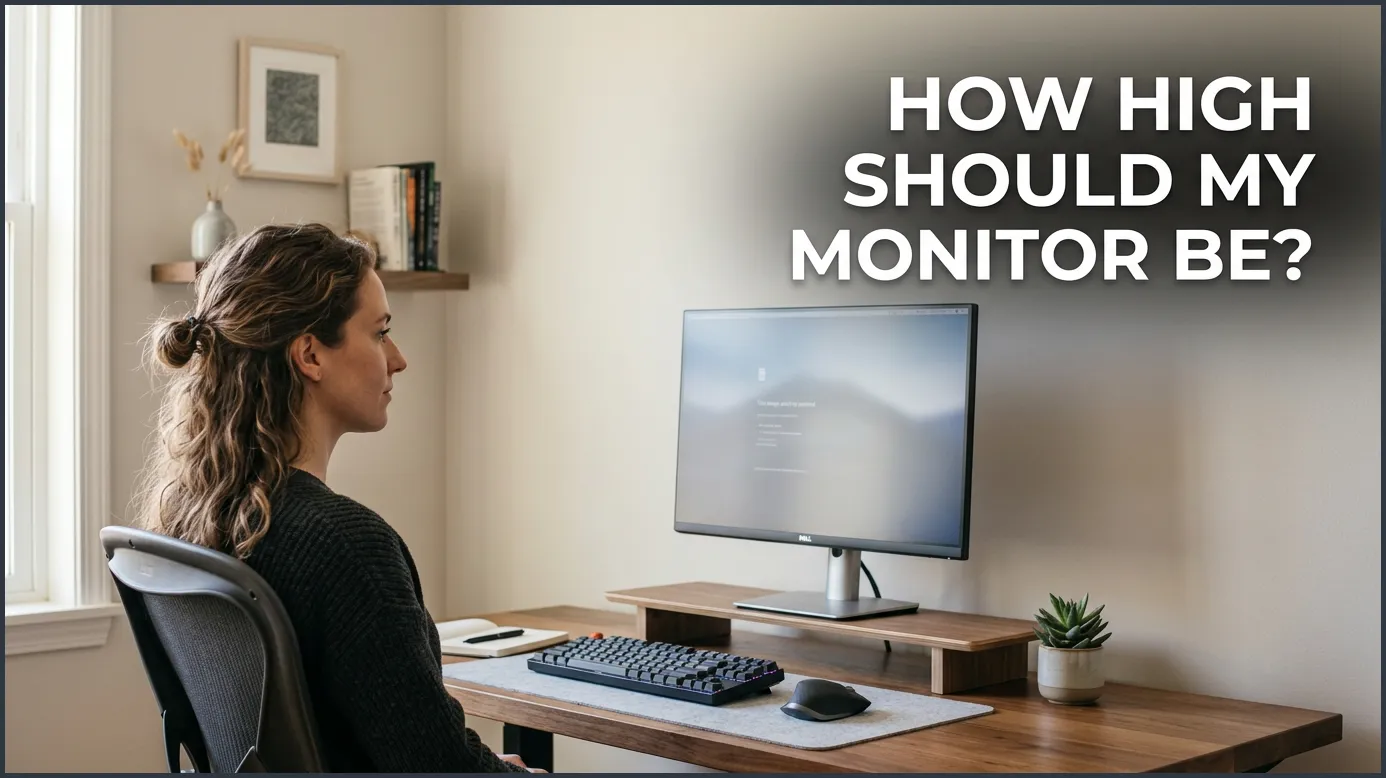
Your computer monitor should be positioned so that your eyes are level with the top third of the screen. This setup allows you to look slightly downward without tilting your head, which protects your neck and back from strain. Additionally, keeping the screen about an arm’s length away ensures optimal comfort for your eyes.
Do you finish your workday with a stiff neck? Do your eyes burn after a long session at your desk? You are not alone. Many people spend eight hours a day in front of a computer. Yet, we rarely think about where that screen actually sits. We just plop it down on the desk and start typing away.
Over time, a bad setup can cause real pain. It can hurt your neck, your shoulders, your back, and your eyes. Adjusting your screen is one of the easiest ways to fix your posture. It is a quick change that can make you feel much better instantly. If you are asking how high should my monitor be, the answer starts with your seat.
In this guide, we will look at the science of screen setup. We will cover eye levels, viewing distances, and simple tricks to find your sweet spot. By the end, you will know exactly how to change your workspace for a happier, pain-free day.
Key Takeaways
- Eye Level Rule: Your eyes should naturally align with the top third of your computer screen.
- Viewing Distance: Keep your monitor about one arm’s length away from your face.
- Tilt Angle: Tilt your screen backward by 10 to 20 degrees for the best viewing angle.
- Avoid Glare: Place your monitor away from direct light sources to prevent eye strain.
- Laptop Adjustments: Use a laptop stand and an external keyboard to protect your posture.
- Dual Screen Setup: Place your main screen directly in front of you to stop constant neck turning.
📑 Table of Contents
The Golden Rule of Screen Height
The Eye-Level Standard
To set up your desk right, you must know the golden rule. The top of your computer screen should be at or slightly below your eye level. When you look straight ahead, your eyes should rest on the top third of the display. This is the foundation of good desk ergonomics.
Why does this matter? Human eyes naturally look slightly downward when at rest. If your monitor is too high, you have to tilt your head back. This puts a lot of stress on your neck muscles. If the screen is too low, you will slouch and curve your spine. Keeping the screen at the right height keeps your head in a natural, neutral position.
Testing Your Current Setup
You can test your screen height right now with a simple test. Sit up straight in your chair. Relax your shoulders and look straight ahead. Where do your eyes land? If they land on the middle or bottom of the screen, your monitor is too high. If they land above the top frame, your monitor is too low. When thinking about how high should my monitor be, you must also look at your chair. Make sure your chair height is set before you adjust your screen.
If you need to make a change, you can read about standard ergonomic monitor height adjustments to see how small changes can make a big difference in how your body feels.
Finding the Perfect Viewing Distance
The Arm’s Length Rule
Height is only half of the puzzle. You also need to think about distance. If your screen is too close, your eyes will get tired. If it is too far away, you will lean forward to read. This is called “computer neck,” and it causes bad upper back pain.
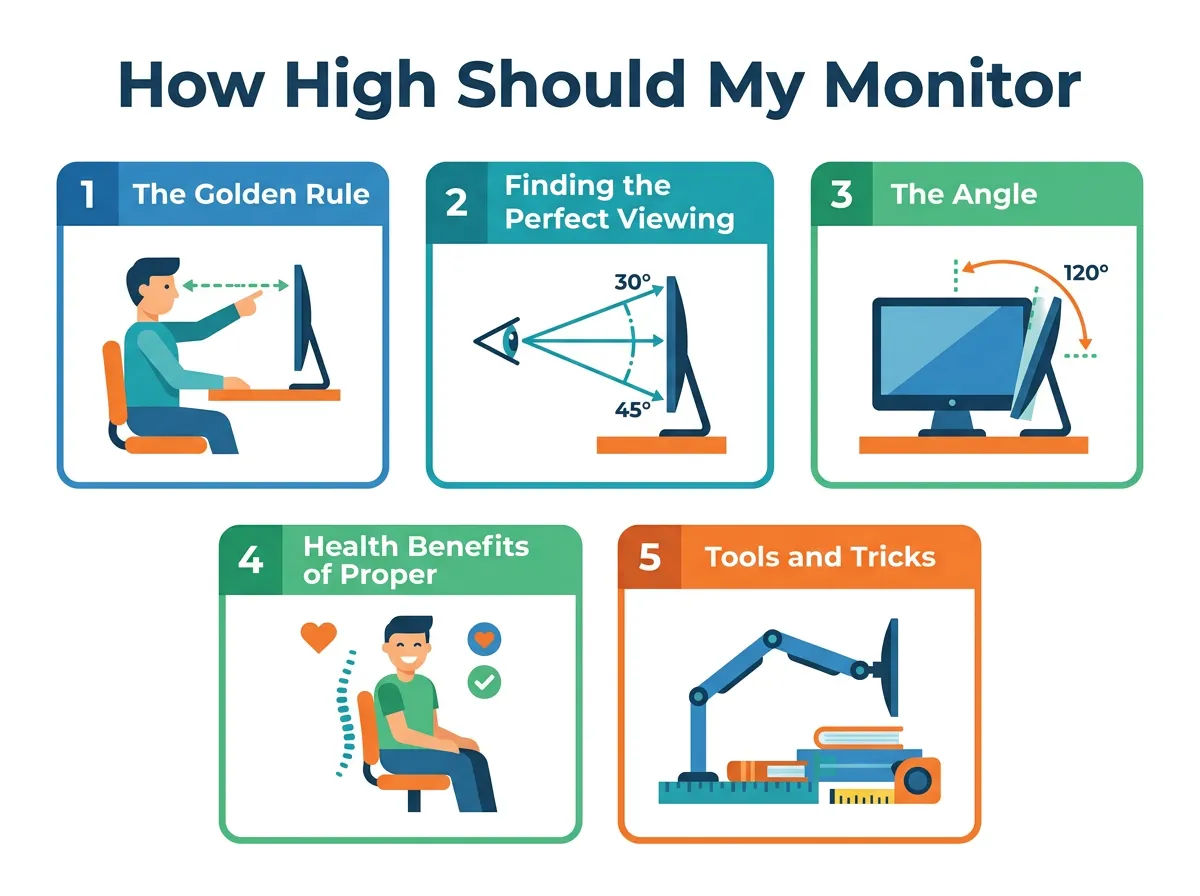
How High Should My Monitor Be? — key points at a glance
A good rule of thumb is to keep the screen about an arm’s length away. Extend your arm straight out in front of you. Your fingertips should just touch the glass of your monitor. For most people, this is a distance of between 20 and 30 inches. This distance keeps your eyes relaxed.
Adjusting for Screen Size
What if you have a very large monitor? Larger screens may need to sit a bit further back. If you use a 32-inch display, try pushing it back an extra few inches. This helps you see the whole screen without moving your head side to side. Many people wonder, how high should my monitor be when sitting down with a large screen? The answer is still the same: keep the top third of the screen at eye level, even if the screen is large.
The Angle of Your Screen
Tilting for Comfort
Once you know how high your monitor should be, you need to tilt it. You should tilt your screen back slightly. An angle of 10 to 20 degrees is perfect. This tilt helps you see the entire screen clearly without changing your neck angle. It mimics how we hold a book or a tablet when reading.
A tilted screen also matches your natural line of sight. It makes the distance from your eyes to the top and bottom of the screen more equal. This reduces the work your eyes have to do to keep things in focus as you look up and down the page.
Beating Screen Glare
Tilt also helps with light control. If you have bright office lights, a tilted screen can help stop reflections. Never tilt your screen so much that it catches the glare from overhead lights or windows. Glare makes you squint, which leads to eye strain and headaches. You can explore proper screen positioning strategies to find the best way to avoid glare in your specific room layout.
Health Benefits of Proper Monitor Height
Saying Goodbye to Neck Pain
Our heads are heavy. The average human head weighs about 10 to 12 pounds. When you tilt your head forward by just 15 degrees, it feels like your head weighs 27 pounds to your neck! A screen at the wrong height forces your neck to hold this heavy weight all day. By learning how high should my monitor be and fixing it, you relieve this heavy load.
Reducing Eye Strain and Fatigue
Do you get dry, itchy eyes? Your screen setup might be to blame. When we look straight ahead or upward, our eyelids open wider. This makes our tear film dry out faster. When we look slightly down, our eyelids cover more of our eyes. This keeps them moist and fresh throughout the workday.
Stopping the Slouch
Your neck is connected to your spine. When your neck bends, your lower back slunches too. Elevating your screen helps you sit back in your chair. It lets your chair’s lumbar support do its job. For more details on this, look at ergonomic height guidelines for computer screens to see how health and posture connect.
Tools and Tricks to Adjust Your Screen
Monitor Arms
A monitor arm is a great tool. It clamps to your desk and holds your screen in the air. You can move the screen up, down, left, right, and tilt it easily. This is perfect if you share a desk with someone else. It lets each person adjust the screen in seconds.
Monitor Risers and Stands
If you do not want a clamp, use a riser. A riser is a small platform that sits on your desk. You place your monitor on top of it. Some risers have drawers for extra storage. They are a simple and clean way to get the height you need.
Easy DIY Solutions
You do not need to spend money to fix your screen. You can use what you have at home. A stack of large textbooks works perfectly. Old shoe boxes or wood blocks can also lift your screen to the right level. The goal is simply to get that top line of text level with your eyes. Do not worry about how it looks at first; focus on how it feels.
Special Tips for Laptop Users and Dual Monitors
The Laptop Dilemma
Laptops are bad for ergonomics. The screen and keyboard are joined together. If the keyboard is at the right height for your hands, the screen is too low. If the screen is at the right height for your eyes, the keyboard is too high. This is a common issue for remote workers.
To fix this, raise your laptop using a stand or books. Then, plug in an external keyboard and mouse. This splits the two parts so your hands and eyes can both be happy. You might ask, how high should my monitor be if I use a laptop stand? Keep the same eye-level rule in mind.
Dual Monitor Setup
If you use two screens, ask yourself how you use them. Do you use one screen 80% of the time? If so, place that primary screen directly in front of you. Place the second screen to the side. This keeps you from twisting your neck all day.
Do you use both screens equally? Place them so their frames meet right in front of your nose. Angle them inward slightly to create a gentle curve. This setup keeps you from turning your head too far to the left or right. It keeps your neck safe and comfortable.
You might also wonder, how high should my monitor be if I use a standing desk? The rules do not change. When you stand, your elbows should still be at 90 degrees, and the top of your screens should line up with your eyes.
Conclusion
Setting up your desk does not have to be hard. By asking how high should my monitor be, you have taken the first step to a pain-free workday. Remember the simple rules: eyes level with the top third of the screen, one arm’s length away, and tilted slightly back.
Take five minutes today to check your screen height. Your neck, back, and eyes will thank you. A small change now leads to a much healthier and more comfortable future at your desk!
Frequently Asked Questions
How high should my monitor be if I wear bifocals?
If you wear bifocals, you may need to lower your monitor slightly. This is because you use the bottom part of your lenses to read. Lowering the screen prevents you from tilting your head back to see clearly.
Is it bad to look down at a monitor?
Yes, looking down too far bends your neck and strains your spine. Over time, this causes neck pain, shoulder tension, and bad posture. Keeping the screen at eye level protects your neck.
How do I know if my monitor is too low?
If you find yourself tilting your chin toward your chest, your monitor is too low. You might also notice your shoulders rounding and your lower back slouching forward.
Can monitor height cause headaches?
Yes, a monitor at the wrong height can lead to muscle tension in your neck and shoulders. This physical tension often triggers headaches, while eye strain from a bad setup makes them worse.
How far away should a 27-inch monitor be?
A 27-inch monitor should sit about 25 to 30 inches away from your face. This is slightly further than a standard arm’s length, which helps you see the whole display without straining.
How high should my monitor be for gaming?
The rules for gaming are the same as working. Your eyes should align with the top third of the screen. This setup helps you stay comfortable during long play sessions and improves your reaction times.
