



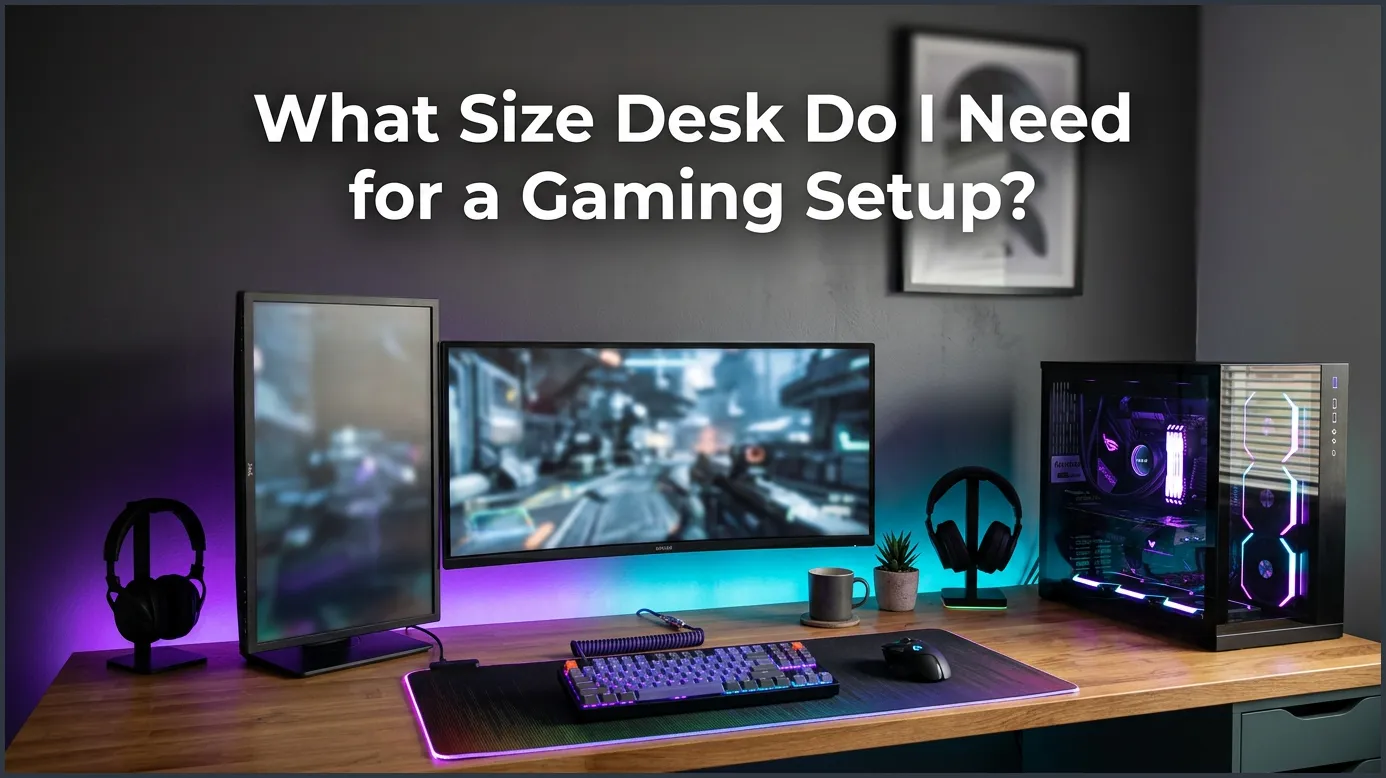
For most gamers, a desk measuring 55 to 60 inches wide and 24 to 30 inches deep is the ideal size. This layout offers plenty of room for a dual-monitor setup, a full-sized keyboard, and a large gaming mouse pad. If you plan to keep a large PC tower on your desk or use triple monitors, look for a width of at least 72 inches.
Imagine sitting down for an epic gaming session with your friends. You have your favorite game loaded, your headset is on, and you are ready to win. But as soon as you swipe your mouse to make a quick turn, your hand slams into your PC tower. Your drink spills, your keyboard slides, and your wrists start to ache after just one hour of play. This is the sad reality of a poorly sized gaming space, and it can quickly ruin your gaming experience.
Choosing the right desk is about more than just picking a cool design with flashy lights. It is about your comfort, health, and gaming performance. If you are asking yourself, “What Size Desk Do I Need for a Gaming Setup?” you are already on the right path to building a better gaming station. This decision will shape your posture, your organization, and your comfort for years to come.
In this comprehensive guide, we will break down everything you need to know about gaming desk sizes. We will look at width, depth, and height in simple terms. We will also talk about how your monitors and gear affect the space you need. By the end of this post, you will know exactly what size desk fits your needs, your room, and your gaming style.
Key Takeaways
- The Sweet Spot: A 55 to 60-inch wide desk is the most popular size and fits dual monitors easily.
- Don’t Ignore Depth: Choose a desk with at least 24 to 30 inches of depth to protect your eyes from screen glare.
- Tower Placement: Keeping your PC tower on your desk requires an extra 10 to 12 inches of width.
- Room to Move: Ensure you leave at least 30 inches of space behind your desk for your gaming chair to roll back freely.
- Corner Solutions: L-shaped desks are excellent for saving space in small bedrooms or offices.
📑 Table of Contents
Understanding Desk Dimensions: Width, Depth, and Height
Before you buy a new desk, you must understand the three main dimensions of any desk. These are width, depth, and height. Each one plays a unique role in your daily comfort.
Width Explained
The width, which some people call length, is the measurement from left to right. It determines how many items you can place side-by-side. If you have a wide desk, you can easily fit your screens, mouse, keyboard, and speakers. To understand how width affects your layout, read more about how much length you need for your gaming desk depending on your specific peripherals. Most standard desks range from 40 to 72 inches in width.
Depth Explained
Depth is the distance from the front edge of the desk to the back. This is highly important for your eyes and wrists. If your desk is too shallow, your monitor will sit too close to your face. This can cause severe eye strain. A good depth also gives your forearms a place to rest while you play. For a deeper dive into these measurements, check out a detailed gaming desk depth guide to prevent eye strain and maintain perfect posture.
Height and Ergonomics
Desk height determines how your arms, shoulders, and back sit. Most standard desks are about 29 to 30 inches tall. This fits average-sized adults very well. When you sit at your desk, your elbows should bend at a 90-degree angle. This keeps your wrists flat and prevents pain during long gaming sessions.
Choosing the Right Size for Your Monitor Setup
Your screens take up the most space on your desk surface. When figuring out what size desk do I need for a gaming setup, you must first look at your screens. Let us look at how many monitors you use and what size desk you will need to support them.

What Size Desk Do I Need for a Gaming Setup? — key points at a glance
Single Monitor Setups
If you use just one monitor, you do not need a massive desk. A standard 24-inch or 27-inch screen fits easily on a small desk. For a single monitor, a width of 40 to 48 inches is perfect. This leaves enough room for your keyboard, mouse, and a small set of speakers. It is a great, budget-friendly option for small bedrooms.
Dual Monitor Setups
Many gamers prefer using two screens. This makes it easy to game on one screen while chatting on Discord on the other. For a dual-monitor setup, you need at least 55 to 60 inches of width. This gives both screens enough room without hanging over the edges. It also ensures your screens do not feel cramped.
Triple Monitor and Ultrawide Setups
If you use three monitors, you will need a massive desk. Look for a width of 72 inches or more to keep your screens secure. Ultrawide monitors are also very popular today. An ultrawide monitor is heavy and wide. For these screens, we recommend a desk that is at least 60 inches wide and 30 inches deep. The extra depth is important because these screens can feel overwhelming if they sit too close to your face.
Factor in Your PC Tower and Gear Placement
Your monitors are not the only things on your desk. You also have to think about your PC tower, keyboard, mouse pad, and audio gear.
Tower on the Desk vs. on the Floor
Do you want to show off your beautiful PC tower with its bright RGB lights? If so, you must place it on your desk. A standard mid-tower PC takes up about 10 to 12 inches of width. If you put it on your desk, you must add that width to your calculations. If you plan to keep your PC on the floor, you can get away with a smaller desk. However, never place your PC directly on a carpet, as this blocks airflow and causes overheating.
Keyboard, Mouse, and Audio Gear
Are you a competitive shooter player? If yes, you likely use a low mouse sensitivity. This means you need a giant mouse pad to swipe freely. A small desk will restrict your movement. For large mouse pads, ensure you have at least 15 to 20 inches of open space next to your keyboard. Additionally, if you use desktop speakers or a streaming microphone on a boom arm, you must account for that extra gear.
Matching Your Desk Size to Your Room Space
You might want a giant desk, but will it fit in your room? Measuring your physical space is a step you cannot skip. When you sit down to plan your room layout, you might ask, What Size Desk Do I Need for a Gaming Setup? The answer depends heavily on your room’s physical limits.
Measuring Your Available Space
Before you buy, grab a tape measure. Measure the wall where you want to place your desk. Leave some room for your gaming chair to roll back. A chair needs about 30 to 36 inches of space behind the desk. Also, check for nearby doors, closets, and heating vents. You do not want to block access to your room.
Standard Gaming Desk Sizes
To make things easy, here is a quick breakdown of standard desk sizes and who they are for:
- Small (40 to 48 inches wide): Perfect for small bedrooms, single monitors, and minimal gear.
- Medium (55 to 60 inches wide): The sweet spot for most gamers. Fits two monitors and a keyboard easily.
- Large (72 inches or wider): Ideal for triple monitors, large PC towers, and content creators.
When planning your layout, checking a guide to choosing the best gaming desk can help you visualize how different styles fit your space.
Specialized Desk Types for Gaming
If a standard rectangular desk does not fit your room, you have other great options. Let us look at two popular alternatives.
L-Shaped Gaming Desks
An L-shaped desk is a lifesaver for small rooms. It fits perfectly into a corner, using space that often goes to waste. These desks offer two distinct work areas. You can use one side for your gaming setup and the other side for school or work. L-shaped desks provide massive surface area without taking up the center of your room.
Standing and Height-Adjustable Desks
Sitting for hours is not great for your health. A height-adjustable desk lets you switch between sitting and standing with the press of a button. These desks are excellent for blood flow and back health. If you choose a standing desk, make sure the motor is strong enough to lift all your heavy gaming gear smoothly.
Actionable Tips for Setting Up Your Gaming Space
Now you know the answer to the big question: “What Size Desk Do I Need for a Gaming Setup?” Here is a quick checklist to make sure your purchase goes smoothly.
Quick Checklist Before You Buy
- Measure twice: Double-check your room space and doorway widths before ordering.
- Check weight capacity: Ensure the desk can hold your heavy PC tower, screens, and monitor mount arms.
- Cable management: Look for desks with built-in grommet holes or cable trays underneath to keep wires neat.
- Material quality: Avoid thin particleboard. Choose solid wood, metal frames, or thick MDF for long durability.
Conclusion
Finding the perfect desk size is key to a comfortable and fun gaming experience. A medium-sized desk of 55 to 60 inches is the perfect starting point for most gamers. It gives you room to grow without taking over your entire room. Always measure your space, consider your monitor layout, and think about where your PC tower will live. With the right desk, you will enjoy a neat, ergonomic, and immersive gaming setup for years to come.
Frequently Asked Questions
What is the minimum desk depth for PC gaming?
The absolute minimum depth for a PC gaming desk is 24 inches. However, a depth of 30 inches is highly recommended. This extra depth gives you plenty of room for your keyboard and keeps your monitor at a safe, comfortable viewing distance.
Can a gaming desk be too big?
A desk can only be too big if it blocks doors, walkways, or closets in your room. If you have the physical space, a larger desk is always better because it gives you more room for your gear and future upgrades.
How wide should a desk be for two monitors?
For a dual-monitor setup, you should look for a desk that is at least 55 to 60 inches wide. This size ensures that both screens fit comfortably on the surface without hanging off the sides of the desk.
Is a 40-inch desk big enough for gaming?
Yes, a 40-inch desk is big enough for a simple gaming setup. It easily fits a single monitor, a keyboard, and a mouse, making it a great choice for small bedrooms or tight corners.
Should I put my PC tower on my desk or the floor?
Putting your PC tower on your desk keeps it safe from dust and shows off your RGB lights, but it requires at least 10 to 12 inches of desk width. If you put it on the floor, use a stand and avoid placing it directly on a carpet to prevent overheating.
Are L-shaped desks good for gaming?
L-shaped desks are fantastic for gaming because they fit perfectly into room corners. They offer a huge amount of surface area, allowing you to have a gaming station on one side and a work or school station on the other.
