



Finding the correct ergonomic setup for your workspace is vital for maintaining comfort and focus. This comprehensive guide provides a simple reference to help you adjust your workspace to the perfect level. By aligning your desk with your physical stature, you can easily reduce strain on your neck, shoulders, and lower back.
We have all been there. You sit at your computer for hours, typing away at a big project. Suddenly, you notice a dull ache in your lower back. Your neck feels stiff, and your shoulders are hunched up toward your ears. These small aches are your body screaming for a change. Standing desks have burst onto the scene as a brilliant solution to this modern office fatigue. They promise to boost energy, improve posture, and keep us moving throughout the workday.
However, simply getting a standing desk is only half the battle. If your new desk is too high or too low, you might actually make your physical discomfort worse. Setting your work surface to the wrong level can strain your wrists, neck, and back. To get the full benefits, you need a precise blueprint that matches your office furniture to your physical stature.
This article will walk you through everything you need to know about setting up your workspace correctly. We will dive deep into standard measurements, simple adjustments, and ergonomics. By using a proper Standing Desk Height Chart by Height guide, you can work comfortably all day long.
Key Takeaways
- Match Your Height: Your desk height should align directly with your unique physical stature to keep your joints in a neutral position.
- Elbow Angle: Keep your elbows bent at a ninety-degree angle when typing to prevent shoulder fatigue and wrist strain.
- Screen Position: Your eyes should line up with the top third of your computer screen to protect your neck muscles.
- Regular Movement: Alternate between sitting and standing every thirty to sixty minutes to maintain healthy blood circulation.
- Anti-Fatigue Mats: Use supportive footwear or a padded mat to reduce pressure on your feet and knees while standing.
📑 Table of Contents
- Why Correct Desk Height Matters for Your Body
- The Standing Desk Height Chart by Height Explained
- Step-by-Step Guide to Setting Up Your Desk
- Fine-Tuning Your Desk Setup for Maximum Comfort
- Best Practices for Transitioning to a Standing Desk
- Choosing the Right Adjustable Desk for Your Needs
- Conclusion
Why Correct Desk Height Matters for Your Body
Many of us spend more than eight hours a day in front of a screen. This prolonged activity puts a massive strain on our skeletal system. When your desk is at the wrong height, your body has to compensate. You might lean forward, slouch, or bend your wrists at unnatural angles. Over time, these minor adjustments lead to repetitive strain injuries, chronic fatigue, and bad posture.
The Hidden Dangers of Poor Desk Ergonomics
When your desk is too high, you have to raise your shoulders to type. This shrug position tightens your neck muscles and can cause painful tension headaches. On the other hand, if your desk is too low, you will naturally slouch forward. Slouching puts excessive pressure on your spine and compresses your lungs, which actually reduces your oxygen intake and drains your afternoon energy levels.
Benefits of an Ergonomically Aligned Standing Desk
Adjusting your desk to the perfect height aligns your spine and opens up your chest. According to a detailed study on spinal wellness published in the Flexispot spine care guide, keeping your spine neutral prevents chronic compression. A properly adjusted desk allows your shoulder muscles to relax completely. It keeps your hands in a natural typing position and keeps your eyes focused at a healthy angle. You will immediately notice less fatigue, better concentration, and more energy throughout your busy workday.
The Standing Desk Height Chart by Height Explained
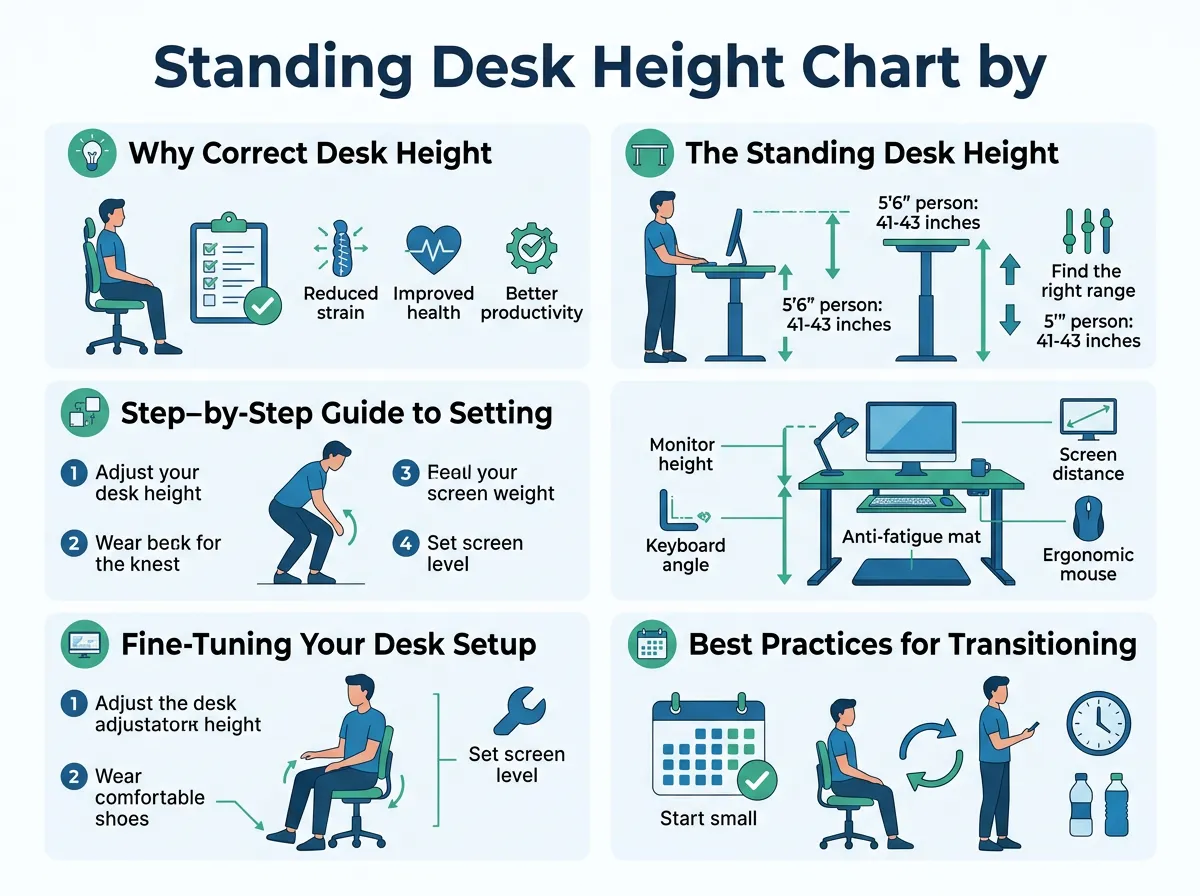
To make things simple, ergonomic experts have developed a standardized blueprint. This Standing Desk Height Chart by Height gives you a fast and reliable starting point based on how tall you are. These numbers are calculated using average body proportions to ensure your joints remain in a neutral, stress-free position.
Standing Desk Height Chart by Height — key points at a glance
Standard Heights for Common Body Sizes
Here is a quick look at the recommended sitting and standing heights for different body statures. If you are 5 feet 0 inches tall, your ideal sitting desk height is about 23 inches, and your standing desk height should be 37 inches. For someone who is 5 feet 4 inches, the sitting height is 25 inches, and the standing height is 40 inches. If you are 5 feet 8 inches tall, you should set your sitting desk to 27 inches and your standing desk to 43 inches.
For taller individuals, such as someone who is 6 feet 0 inches, the sitting height increases to 28.5 inches, while the standing height should be 46 inches. Finally, if you are 6 feet 4 inches, your ideal sitting height is 30 inches, and your standing height is 49 inches. These numbers provide a solid foundation for any ergonomic office design.
How to Use the Chart for Sitting vs. Standing
Keep in mind that these numbers are highly reliable baseline guidelines. However, everyone has different body proportions. You might have longer legs or a shorter torso than the average person. Using an online resource like the Omni Desk Height Calculator can make finding these customized numbers incredibly easy. Always start with the recommended chart height, then make minor tweaks until your body feels completely relaxed and comfortable.
Step-by-Step Guide to Setting Up Your Desk
Once you have your general numbers from the Standing Desk Height Chart by Height, it is time to set up your station. Do not just guess the measurements. Take a few minutes to walk through this easy physical checklist to make sure your joints are perfectly aligned.
Adjusting Your Desk Height
Stand up straight with your shoulders relaxed. Bend your elbows at a ninety-degree angle. Your forearms should be completely parallel to the floor. Now, adjust the height of your desk until the top surface gently touches the underside of your forearms. Your wrists should remain flat and straight when you place your hands on your keyboard.
Positioning Your Keyboard and Mouse
Your keyboard and mouse should sit close together on the desk surface. You should not have to reach forward or stretch your arms to use them. Keep your upper arms tucked close to your body. This positioning keeps the weight of your arms supported by your skeletal system, which saves your shoulder muscles from doing extra work.
Finding the Right Monitor Height
Your computer monitor is just as important as your desk surface. Place your monitor directly in front of you, about an arm’s length away. To build a comfortable workstation, you can utilize helpful online tools like the Ergotron workspace planner to map out your layout. The very top of your screen should sit at or slightly below your eye level. This setup forces you to look slightly downward, which is highly natural for your eyes and prevents neck strain.
Fine-Tuning Your Desk Setup for Maximum Comfort
Finding the basic measurements is only the first part of the process. Daily life introduces small variables that can alter your posture. If you want precise values tailored to your physical attributes, check out the Uplift Desk ergonomic calculator for a quick calculation. Let us look at a few extra factors that can make a massive difference in how your body feels after a long day at work.
The Role of Footwear and Anti-Fatigue Mats
The shoes you wear can completely change your height measurements. If you wear thick-soled sneakers or high heels, you will need to raise your desk by an inch or two to compensate. Furthermore, standing on a hard office floor for hours can cause aching heels and sore calves. To solve this issue, invest in a high-quality, padded anti-fatigue mat. This mat cushioning absorbs impact and encourages micro-movements in your legs, which keeps your blood flowing and reduces fatigue.
Managing Eye Strain and Viewing Distance
If your monitor is too close or too far, you will naturally lean your head forward to read the text. This “forward head posture” adds tremendous stress to your neck muscles. Make sure your screen text is large enough to read easily from a distance of twenty to thirty inches. Keep your screen tilted back slightly, about ten to twenty degrees, to make reading feel completely effortless.
Best Practices for Transitioning to a Standing Desk
Many people make the mistake of standing for their entire eight-hour shift on day one. This sudden change can overwhelm your muscles and cause severe lower back soreness. Your body needs time to build up the core strength required for standing.
The Ideal Sitting-to-Standing Ratio
Think of standing as a light workout. Start by standing for just fifteen to twenty minutes out of every hour. Gradually increase this standing time as your body adapts. Most physical therapists recommend a balanced ratio. Aim to spend about forty minutes sitting and twenty minutes standing each hour, or alternate every thirty minutes.
Simple Exercises to Do While Standing
Do not stand completely still like a statue. Staying in one rigid position can cause blood to pool in your legs. Keep your body moving by shifting your weight from one foot to the other. You can also do simple calf raises, gentle side-to-side hip stretches, or brief shoulder rolls to keep your muscles loose and active.
Choosing the Right Adjustable Desk for Your Needs
If you are in the market for a new desk, you will want to choose one that fits your height ranges easily. Check the specifications of the desk before making a purchase.
Manual vs. Electric Standing Desks
Manual desks use a hand crank to change heights. They are budget-friendly and do not require an electrical outlet, but they take more physical effort to adjust. Electric standing desks feature quiet motors and programmable memory keypads. You can save your perfect sitting and standing heights with the press of a single button, making transitions incredibly smooth and fast.
What to Look for in Weight Capacity and Stability
A good standing desk should remain completely stable, even at its highest setting. Look for desks with heavy-gauge steel frames and dual motors. Make sure the desk can easily support the weight of your computer monitors, books, and heavy accessories without wobbling or shaking while you type.
Conclusion
Creating an ergonomic workspace is one of the best investments you can make for your health and career. By utilizing a reliable Standing Desk Height Chart by Height, you can easily take the guesswork out of your office setup. Remember to keep your elbows at a ninety-degree angle, your eyes aligned with the top of your screen, and your body moving throughout the day. Listen closely to your physical signals and make adjustments whenever you feel discomfort. Your body will thank you with higher energy, reduced muscle pain, and greater focus. Here is to a happier, healthier, and highly productive workday!
Frequently Asked Questions
How high should a standing desk be for a 5’10” person?
For a person who is 5 feet 10 inches tall, the ideal standing desk height is approximately 44 inches. When sitting, the desk should be adjusted to about 27.5 inches. Always make sure your elbows remain at a comfortable ninety-degree angle when typing.
How long should I stand at my desk each day?
You should aim to stand for about 15 to 30 minutes for every hour of desk work. It is best to avoid standing all day, as this can strain your legs and lower back. Alternating between sitting and standing is the healthiest approach for your body.
Should my wrists touch the desk while typing?
Your wrists should not rest heavily on the desk or keyboard tray while you type. Instead, they should hover gently in a straight, neutral position to prevent strain. You can use a soft wrist rest for support during brief moments when you are not actively typing.
Do I need an anti-fatigue mat for a standing desk?
Yes, an anti-fatigue mat is highly recommended because it cushions your feet and reduces pressure on your joints. It also encourages small, healthy foot movements that improve blood circulation. This simple accessory makes standing for long periods much more comfortable.
Can a standing desk help reduce lower back pain?
Yes, a standing desk can significantly reduce lower back pain by keeping your spine in a neutral alignment. It helps eliminate the compression that occurs when slouching in an office chair. To get the best results, you must ensure the desk is set to the correct ergonomic height.
How do I know if my standing desk is too high?
If your standing desk is too high, you will notice your shoulders shrugging and your elbows bending at an angle smaller than ninety degrees. You might also feel tension building in your upper back and neck muscles. Your wrists may bend upward, which can cause strain over time.
