




If you are wondering why your standing desk is wobbly, the issue usually stems from loose bolts, uneven flooring, or extended desk legs that naturally lose stability at taller heights. Most wobbles can be easily fixed by tightening frame connections, adjusting the leveling glides on the bottom of the feet, or rearranging heavy equipment to balance the weight.
Imagine this scenario. You just bought a shiny new standing desk. You carefully put it together, following every step in the manual. You place your computer, your keyboard, and your favorite mug on the smooth desktop. Then, you press the button to raise it up for the first time. You feel a wave of excitement as the motor hums and the desk climbs to your standing height.
You get ready to work. But the moment you touch the keyboard, everything starts to shake. Your monitor moves like it is in a windstorm. Your coffee sloshes around in your cup. It is incredibly hard to focus. You might stop and ask yourself, why is my standing desk wobbly?
This is a very common problem. Many people experience a shaky work surface when they transition from sitting to standing. A moving desk is not just annoying. It can also make you feel tired, dizzy, or less productive. No one wants to work on a desk that feels like a house of cards. Fortunately, you do not have to live with a shaky setup. Let us explore how you can make your workspace solid and stable.
Key Takeaways
- Height affects stability: As you raise your desk, the center of gravity goes up, making the desk naturally more prone to shaking.
- Check the bolts first: Regular use can loosen the screws in the frame, so a quick tightening can often solve the problem.
- Adjust the leveling glides: Even floors are rarely perfect, and twisting the small feet on the bottom of your desk can fix uneven contact.
- Distribute weight evenly: Placing heavy items like monitors in the center of the desk prevents uneven strain on the legs.
- Consider the flooring: Soft carpets allow for more sway, whereas hard floors provide a much more stable base for standing desks.
📑 Table of Contents
The Core Physics of Desk Stability
To solve the issue, we must first understand how standing desks work. Standing desks use telescoping legs. These legs have metal segments that slide inside each other like a telescope. While this design is great for changing heights, it comes with some physics challenges.
Why Is My Standing Desk Wobbly at High Settings?
When your desk is at its lowest height, the metal leg segments overlap a lot. This makes the legs thick, heavy, and very strong. But when you raise the desk, the legs extend. The overlap between the metal segments becomes much smaller. This raises the center of gravity of the entire desk. Just like a tall tower, a tall desk is much easier to push over or shake. Any small force you apply while typing gets amplified at the top.
The Role of Column Tolerances
For the metal legs to slide smoothly, there must be a tiny gap between the tubes. This gap is called tolerance. If the gap is too small, the legs will get stuck. If the gap is too large, the desk will shake. You can read more about how design choices impact movement in this guide on standing desk stability facts. The quality of these tolerances is a big reason why some premium desks feel much sturdier than cheaper models.
Common Culprits: Why Is My Standing Desk Wobbly?
Now let us look at the main causes of a shaky desk. If your desk is moving too much, one of these common culprits is likely to blame.
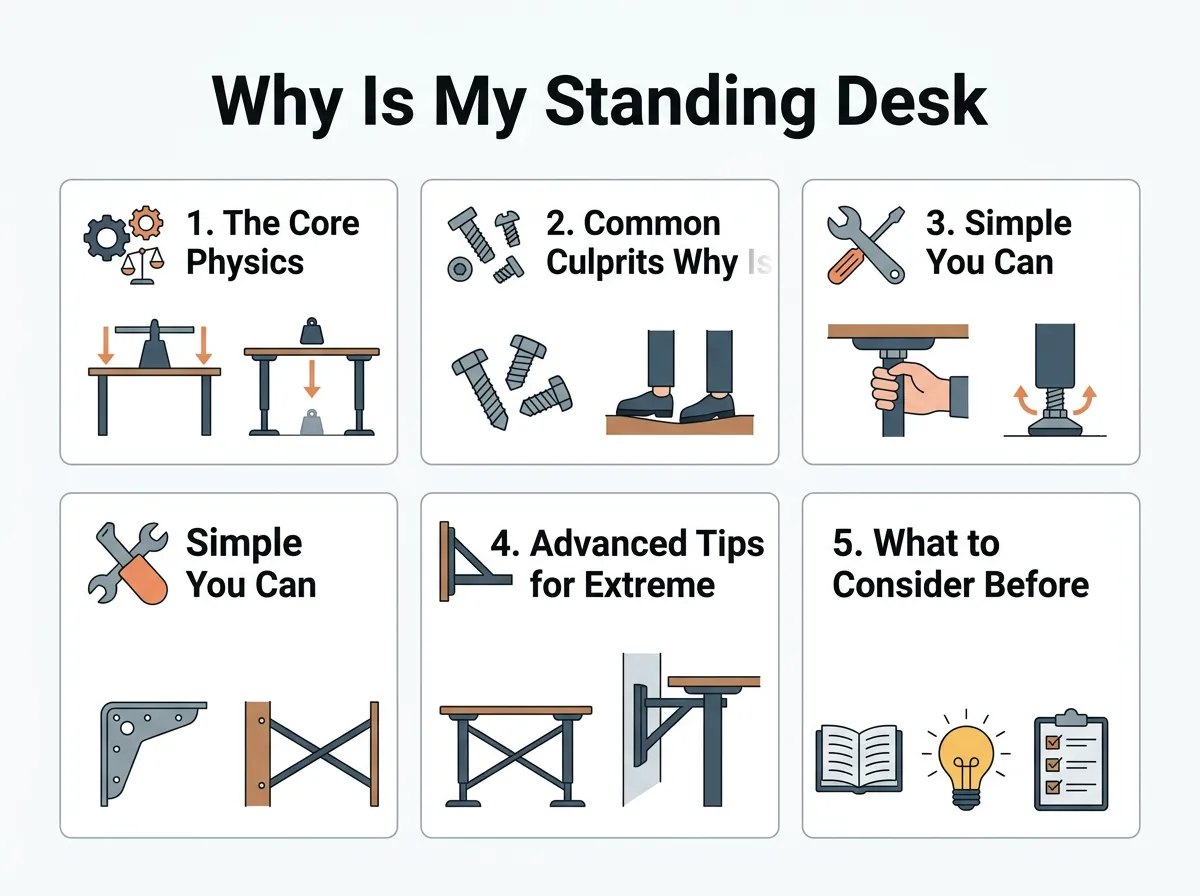
Why Is My Standing Desk Wobbly? — key points at a glance
Loose Screws and Fasteners
When you build your desk, you tighten many bolts. Over time, the motion of raising and lowering the desk can loosen these parts. Even the vibration from your computer fans or typing can cause screws to back out. A single loose bolt in the frame can cause a massive wobble at the top of the desk.
Uneven Floors and Leveling Glides
No floor is perfectly flat. This is true for wood, tile, and concrete alike. If one corner of your desk does not touch the ground completely, the desk will rock back and forth. Most standing desks have little adjustable feet on the bottom. If these feet are not adjusted correctly, your desk will never be stable.
Poor Weight Distribution
Do you have a heavy computer tower on one side of your desk and nothing on the other? This uneven weight strains the legs. It causes the frame to lean and shake. Understanding why some desks wobble more than others often comes down to how we place our items on the desktop. Heavy, unbalanced gear makes it easy for the desk to sway.
Simple Fixes You Can Try Today
You do not need to buy a brand-new desk to get a stable workspace. Try these simple and free fixes first to quiet the shake.
Do a Full Bolt Check
Grab the tools that came with your desk, or find a matching screwdriver. Go under the desk and check every single bolt. Tighten the bolts that connect the legs to the feet. Tighten the ones that hold the desktop to the frame. You might be surprised by how many screws have wiggled loose over time. Tightening them is often the quickest fix.
Adjust the Leveling Feet
Look at the very bottom of your desk feet. You will see small plastic or rubber pads. You can spin these pads to make them taller or shorter. Rock your desk gently with your hands. Find the corner that lifts off the floor. Spin that pad until it touches the ground firmly. This is one of the easiest ways to make a standing desk more stable without spending any money.
Balance Your Gear
Take a look at your desk setup. Try to place your heaviest items in the middle. If you use dual monitors, center them on the desk. If you have a heavy computer, try to keep it close to the legs rather than hanging off the far edge. This keeps the center of gravity balanced.
Advanced Tips for Extreme Shaking
Sometimes, simple fixes are not quite enough. If you still find yourself asking why is my standing desk wobbly, you may need to look at more advanced options.
Move Your Desk to a Hard Surface
Thick carpets are terrible for desk stability. The soft carpet fibers act like a cushion. This cushion allows the feet of your desk to sink and sway. If possible, move your desk to a hard floor. If you must use carpet, place a hard plastic mat or wooden board under the desk feet to spread the weight evenly.
Use a Keyboard Tray or Monitor Arms
Sometimes, the desk itself does not shake much, but your monitor does. High-quality monitor arms can absorb vibrations. A separate keyboard tray can also help. It keeps your typing force low and close to your body, which reduces the amount of shake transferred to the desktop.
Push the Desk Close to a Wall
Do not let your desk touch the wall completely. If it touches, it can scratch your paint when moving up and down. However, placing it very close to a wall can help. You can also use small rubber bumpers. These bumpers rest gently against the wall to block the shaking motion when you type.
What to Consider Before Your Next Purchase
If you are planning to buy a new desk, you should know what makes a desk stable from the start. This will save you from headaches in the future.
Choose a Heavy Steel Frame
Weight is your friend when it comes to stability. A light desk is easy to move, but it is also easy to shake. Heavy steel frames stay planted firmly on the floor. For heavy gear, look into heavy duty desk stability solutions to ensure your setup can handle your monitor arms and computer towers.
Look for a Crossbar
Some desks have a metal bar that runs between the legs. This is called a crossbar. It acts like a brace. Desks with crossbars are much stiffer and shake far less than desks without them. If you are very sensitive to movement, always choose a desk with a crossbar.
Four Legs Are Better Than Two
Most standard standing desks have two legs. These are fine for basic use. But if you want ultimate stability, look for a four-leg standing desk. They cost more, but they are as solid as a traditional dining table. They will not wobble, even at high settings.
Conclusion
A shaky workspace can ruin your day. It makes work feel like a chore. But now you know the answer to the question: why is my standing desk wobbly? By checking your bolts, adjusting the leveling feet, and balancing your gear, you can fix most wobbles. Take a few minutes to tune up your desk today. Your wrists, your eyes, and your coffee cup will thank you!
Frequently Asked Questions
Why does my standing desk shake when I type?
When you type, you apply force to the desktop. If your desk is extended to a tall height, this force travels down the legs and causes a swaying motion, especially if your bolts are loose or the weight on your desk is unbalanced.
Can carpet cause my standing desk to wobble?
Yes, thick carpet and padding create a soft, uneven surface. The desk feet sink into the carpet, which allows the frame to sway back and forth much more than it would on a hard floor.
How often should I tighten the screws on my standing desk?
It is a good idea to check and tighten your desk screws every six months. The constant motion of raising and lowering the desk can slowly loosen the bolts over time.
Do all standing desks wobble at high settings?
Almost all two-leg standing desks will have a tiny amount of movement when fully extended due to physics. However, high-quality desks with tight tolerances and heavy steel frames will wobble much less than cheaper models.
Will a keyboard tray help reduce desk wobble?
Yes, a keyboard tray keeps your hands lower and closer to the desk’s center of gravity. This reduces the amount of force you apply directly to the desktop, which significantly cuts down on monitor shaking.
Does a crossbar make a standing desk more stable?
Yes, a crossbar connects the two legs of the desk and acts as a structural brace. This extra support greatly reduces left-to-right wobble, making the desk feel much more solid.
