



Keeping your workspace tidy does not have to be a daily chore. By sorting your items into clear zones, managing messy cables, and spending five minutes on a daily reset, you can maintain a focus-friendly desk. This simple approach reduces stress and helps you stay productive all day long.
Imagine sitting down to work. You are ready to start your day and tackle your tasks. But as you look down, you see a mess. There are dirty coffee mugs from yesterday. Sticky notes cover the sides of your computer screen. Pens lie scattered everywhere, and you cannot find your favorite notepad. Instantly, you feel stressed and tired before you even start.
Many of us face this exact struggle every single morning. A messy desk is more than just an eyesore. It is a constant distraction that pulls at your attention and slows you down. If you want to know how to keep a desk clean and organized, you are in the right place.
This guide will walk you through simple, realistic steps to reclaim your workspace. We will cover everything from sorting your clutter to setting up smart desk zones. You will also learn quick daily habits that take less than five minutes. Let us dive in and build a workspace that helps you do your very best work.
Key Takeaways
- The Five-Minute Reset: Spend five minutes at the end of every day clearing your desk surface to start fresh tomorrow.
- Use Desk Zones: Place daily items within arm’s reach and keep rare tools further away to maximize your space.
- Go Paperless: Scan your physical files and keep a digital filing system to stop papers from building up.
- Hide Your Cables: Group cords together with simple ties or clips to keep your desk looking neat and professional.
- Sanitize Weekly: Wipe down your surfaces and clean your tech tools once a week to stay healthy and germ-free.
📑 Table of Contents
1. The Psychology of a Clean Workspace
Clear Desk, Clear Mind
Our brains love order. When your eyes see chaos, your mind feels chaotic too. Every item on your desk is like a tiny visual task. Your brain looks at a stray paper and thinks, “I need to file that.” It looks at a dirty cup and thinks, “I need to wash that.” This constant mental chatter drains your energy. A clean desk gives your mind a break, reduces stress, and helps you feel in control of your day.
Boosting Your Daily Productivity
How much time do you lose searching for things? Finding a lost pen or a specific report can take minutes. Over a busy work week, those lost minutes quickly add up to hours. When you know exactly where everything is, your work flows smoothly. You do not have to break your focus to search for tools. A clean desk keeps you in your work flow longer and makes you much more productive.
2. Decluttering and Sorting Your Items
The Three-Pile Method
To start fresh, you must clear everything off your desk. Yes, absolutely everything. Put all your items on the floor or a nearby table so you have a completely blank slate. Now, look at each item one by one. Use the three-pile method to sort them:
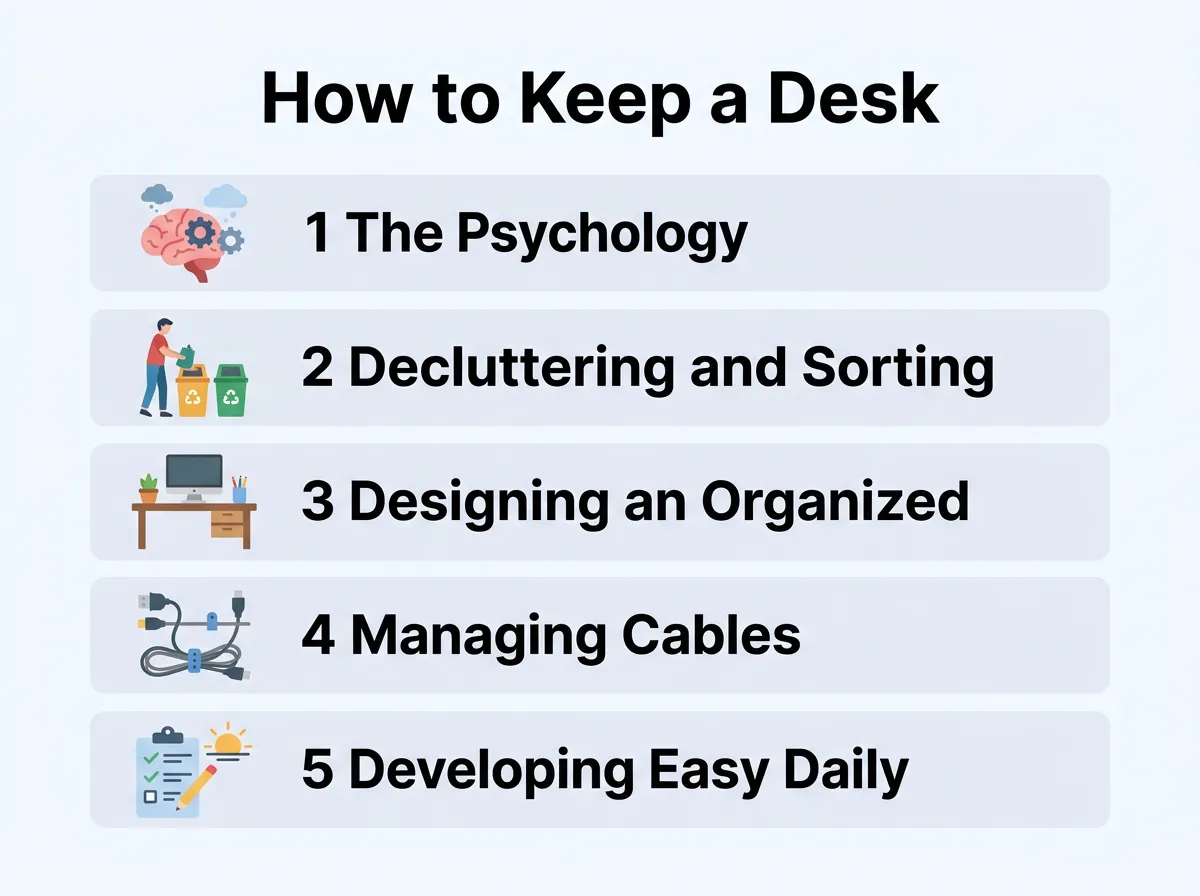
How to Keep a Desk Clean and Organized — key points at a glance
- The Keep Pile: These are the things you use every single day, like your computer, mouse, and a notepad.
- The Relocate Pile: These are items you need but do not use daily. They belong in a drawer, a cabinet, or another room.
- The Trash Pile: This is for dead pens, old receipts, and broken items. Throw them away or recycle them immediately.
Digitizing Your Paperwork
Paper is the number one enemy of a tidy desk. Mail, notes, and old reports stack up fast. To beat this, try to go paperless as much as you can. Use your phone to scan important documents and save them to a cloud drive, then shred the physical copies. If you must keep physical paper, use a simple tray system. Label your trays as “To Do,” “To File,” and “Done.” If you want to dive deeper, you can find great advice on keeping your desk tidy throughout the year to prevent paper build-up.
3. Designing an Organized Layout
Defining Your Desk Zones
Now that you only have key items left, it is time to arrange them. Think of your desk as three distinct zones. The Primary Zone is right in front of you. This is where you work, and it should only hold your computer, keyboard, mouse, and what you are working on right now. The Secondary Zone is within arm’s reach. This is for things you use often, like your phone or a notepad. The Tertiary Zone is the back or sides of your desk. This is for things you rarely touch, like a lamp or a small plant. To help you map these zones, check out these smart desk organization layouts.
Essential Storage Tools
You do not need to spend a lot of money to organize your space. Simple, cheap tools can make a huge difference. Use drawer dividers to keep pens and sticky notes in place so they do not slide around. Monitor stands are also fantastic tools. They raise your screen to eye level and create extra storage space underneath. If you are on a budget, you can find budget-friendly desk organization tips to make the most of your space without spending much.
4. Managing Cables and Tech Clutter
Taming the Wire Jungle
Messy cords make even a clean desk look untidy. They catch dust and get tangled easily. Luckily, fixing cable clutter is very simple. Start by grouping your cables together with zip ties or hook-and-loop straps. You can attach a power strip to the underside of your desk using mounting tape to keep plugs off the floor. Cable clips are also very helpful. Stick them to the edge of your desk to hold your charger cables when you unplug your devices.
Organizing Your Digital Workspace
A clean physical desk is only half the battle. If your computer screen is filled with hundreds of files, you will still feel stressed. Take ten minutes to clean your digital desktop. Delete files you do not need and group the rest into clean folders. Use simple folder names like “Active Projects,” “Receipts,” and “Resources” so you can find files fast.
5. Developing Easy Daily Habits
The Five-Minute Daily Reset
The secret to how to keep a desk clean and organized is daily upkeep. It is much easier to clean for five minutes a day than for one hour on the weekend. At the end of each workday, do a quick reset. Put your pens back in their holder, file away loose papers, throw away trash, and take your dirty mugs to the kitchen. When you sit down the next morning, you will start with a fresh, clean desk.
Weekly Deep Cleaning Checklist
Once a week, give your desk a quick deep clean. Friday afternoon is the perfect time for this. First, wipe down the hard surfaces with a damp cloth to get rid of dust and coffee rings. Next, shake out your keyboard or use canned air to blow away crumbs. Finally, sanitize your mouse and phone. These items carry a lot of germs, so keeping them clean is great for your health.
6. Staying Inspired and Minimal
Choosing Intentional Decor
It is fine to have personal items on your desk. Photos of family, small toys, or plants can make you feel happy. But too many decorations will quickly turn into clutter. Be very picky about what you put on your desk. Limit yourself to one or two personal items that truly bring you joy or keep you calm. A single beautiful plant is much better than five dusty trinkets.
The Power of Less
Keep a minimalist mindset. Before you buy a new desk accessory, ask yourself if you really need it. Will it help you work, or will it just take up space? Remember, the fewer things you have, the less you have to clean. A simple, empty space leaves room for your creativity to grow. Focus on quality tools over quantity.
Conclusion
Learning how to keep a desk clean and organized is not a one-time chore. It is a daily habit. By clearing the clutter, organizing your tools into clear zones, and cleaning up each evening, you can create a workspace that works for you. Do not feel like you have to do everything at once. Start small today by decluttering your desktop. Tomorrow, set up your zones. Over time, these small steps will become a natural part of your routine, and you will enjoy a calm, focused, and productive work life.
Frequently Asked Questions
How often should I clean my desk?
You should do a quick five-minute tidy-up at the end of every workday. Additionally, wipe down your desk surfaces and sanitize your keyboard and mouse once a week to keep dust and germs away.
What is the best way to hide messy cables?
Use zip ties or cable sleeves to group your cords together. You can also mount your power strip under your desk and use adhesive cable clips on the edge of your desk to keep chargers from falling.
How do I handle incoming paper mail?
Sort through mail as soon as you get it and recycle what you do not need. For important papers, scan them to your computer immediately or place them in labeled trays to keep them from piling up.
Should I put personal items on my desk?
Yes, but keep them to a minimum. Limit yourself to one or two meaningful items, like a family photo or a small plant, so they bring you joy without cluttering your workspace.
What are the main benefits of a clean desk?
A clean desk reduces visual distractions, which lowers stress and boosts your focus. It also saves you time because you do not have to search for lost files, tools, or notes.
How can I keep my desk clean if my workspace is very small?
Make use of vertical space by installing shelves above your desk. You should also use a monitor stand to create storage space underneath your screen and strictly limit the items you keep on the desktop.
